Adding Categories to Repositories
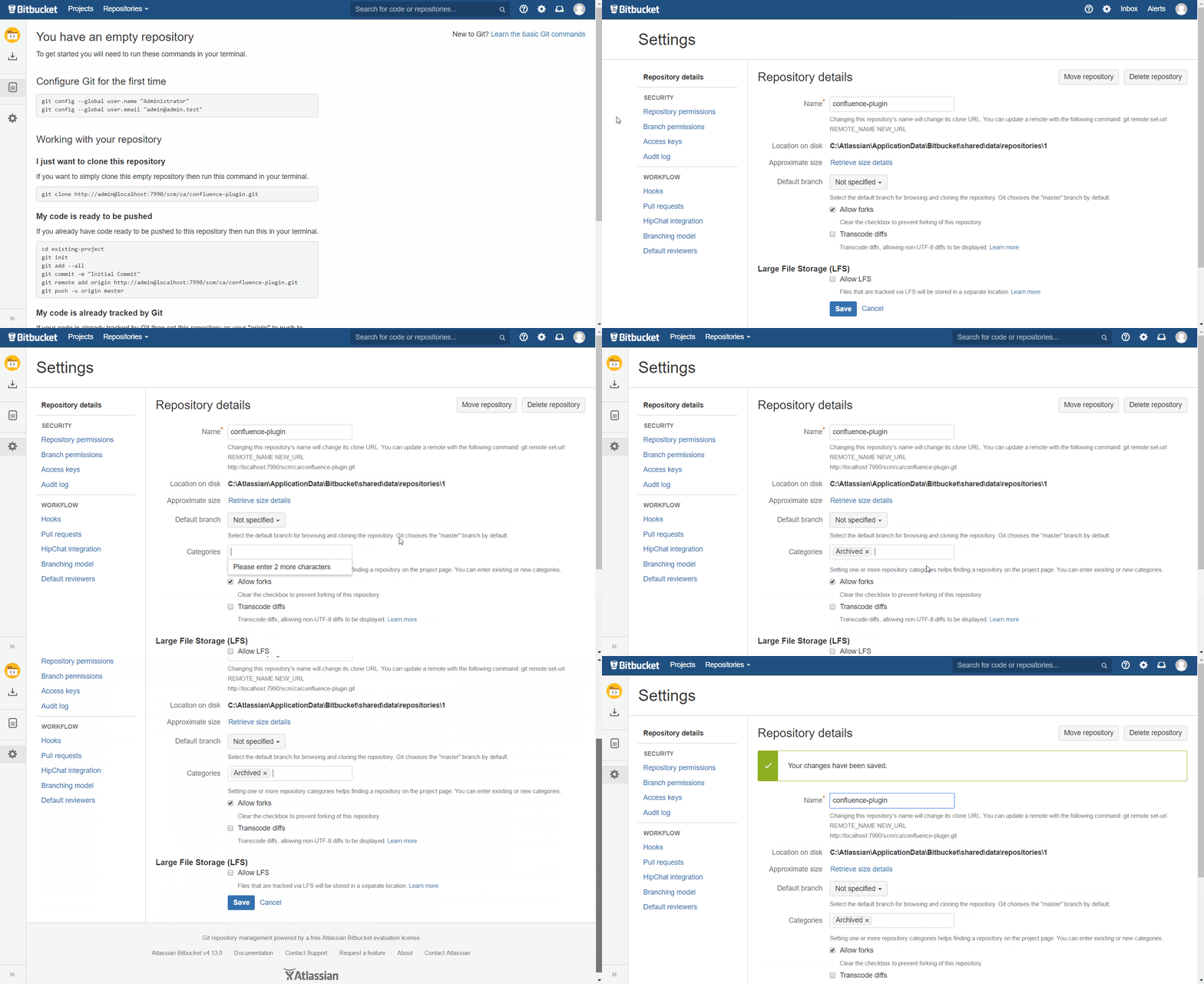
Navigate to the repository's "Settings" > "Repository details".
You can add categories by adding them to the "Categories" field. Just start typing and select (return key or mouse click) one of the already existing project categories or create a new one by selecting the first line.
Don't forget to hit "Save".
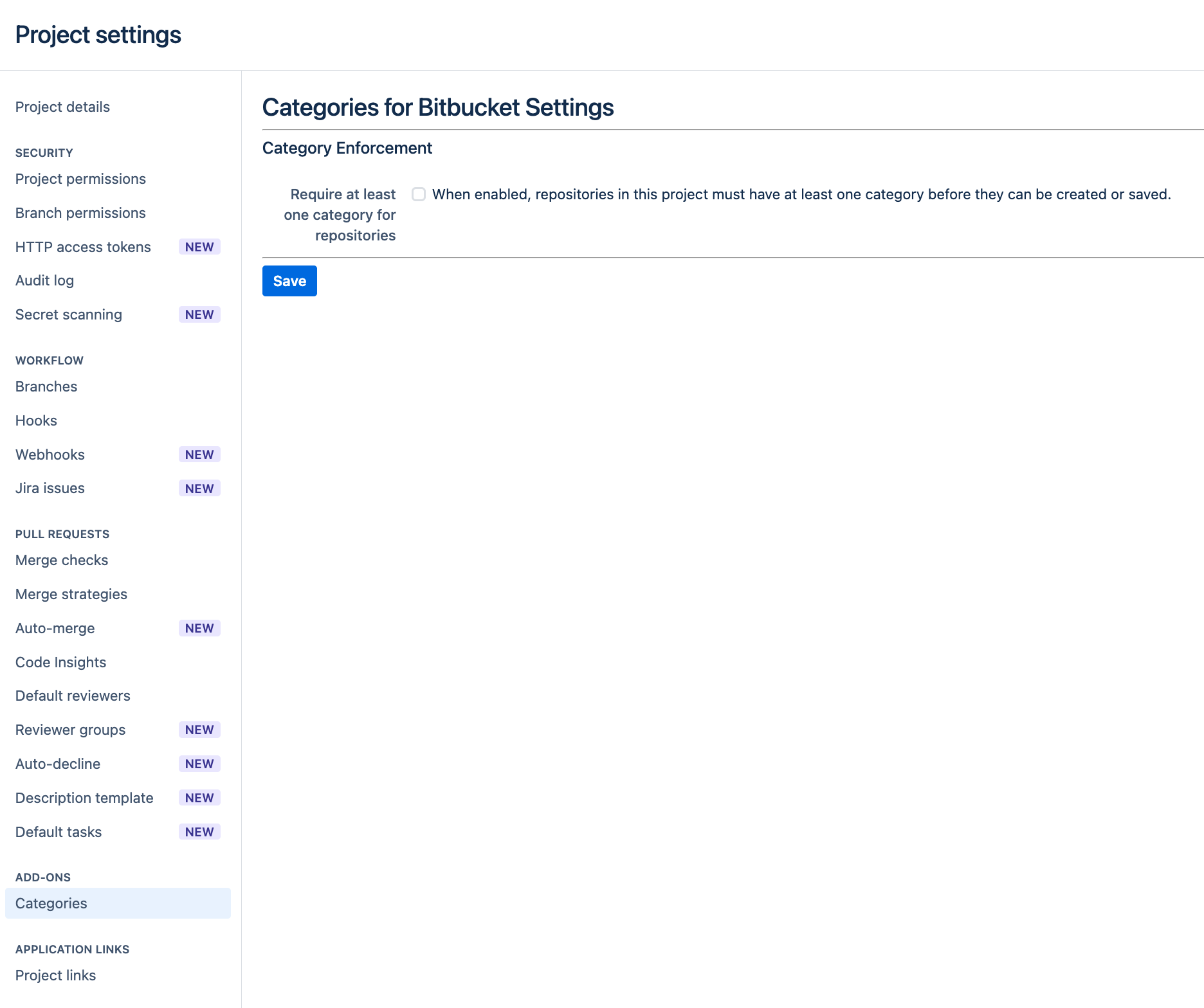
You can enforce that all repositories from a project needs to have at least one category upon creation and edit. To do so, navigate to your project settings → ADD-ONS -> Categories and tick the box besides “Require at least one category for repositories”
-
When enabled, any repository that is created or edited must have at least one category assigned before it can be saved.
-
When disabled, repository creation and editing behave as before, categories remain optional.
-
This setting is disabled by default.
Removing Categories from Repositories
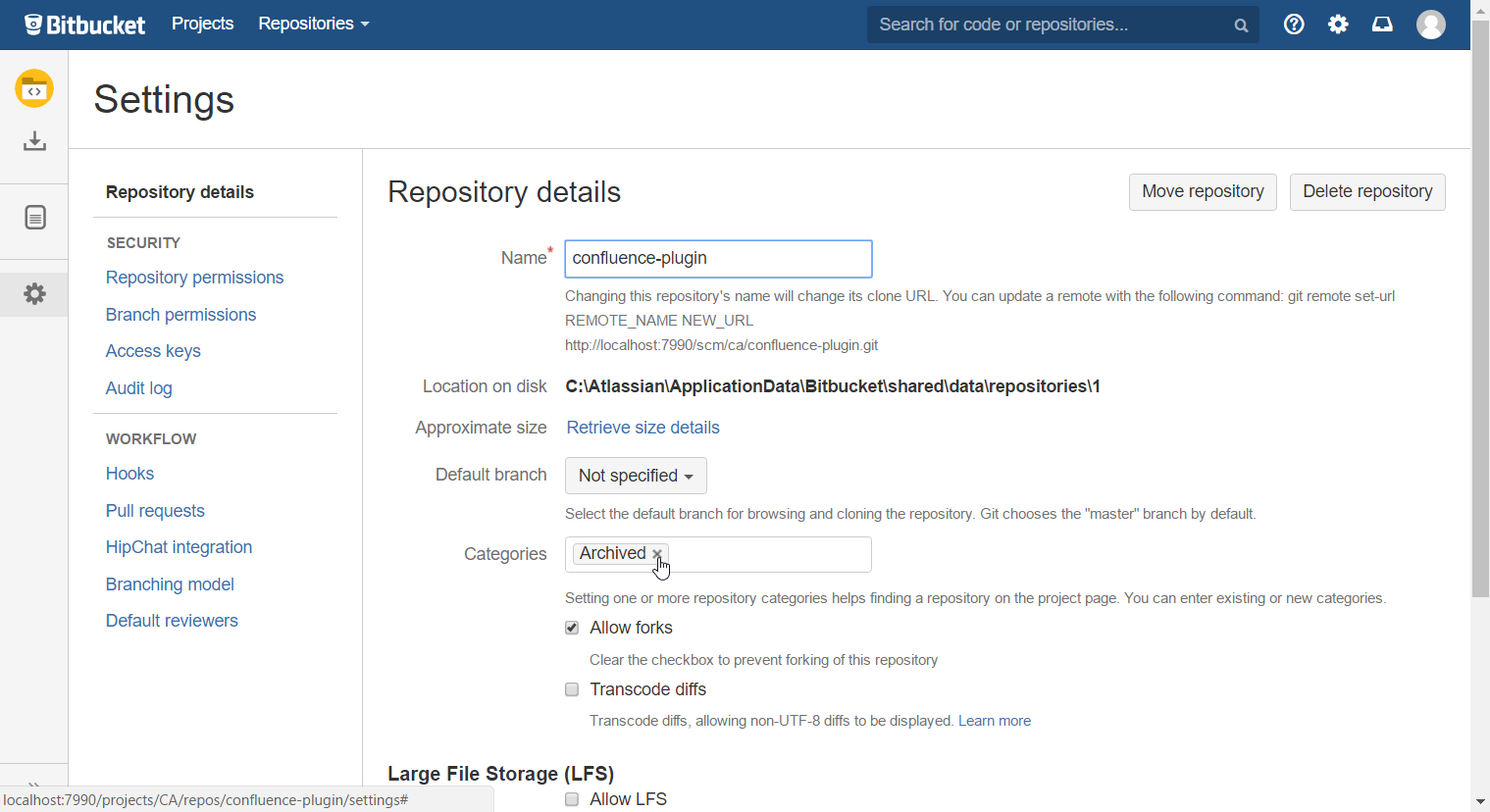
Navigate to the repository's "Settings" > "Repository details".
You can remove categories by removing them from the "Categories" field. Just click on the x next to the category that you want to remove.
Don't forget to hit "Save".
Using Repository Categories
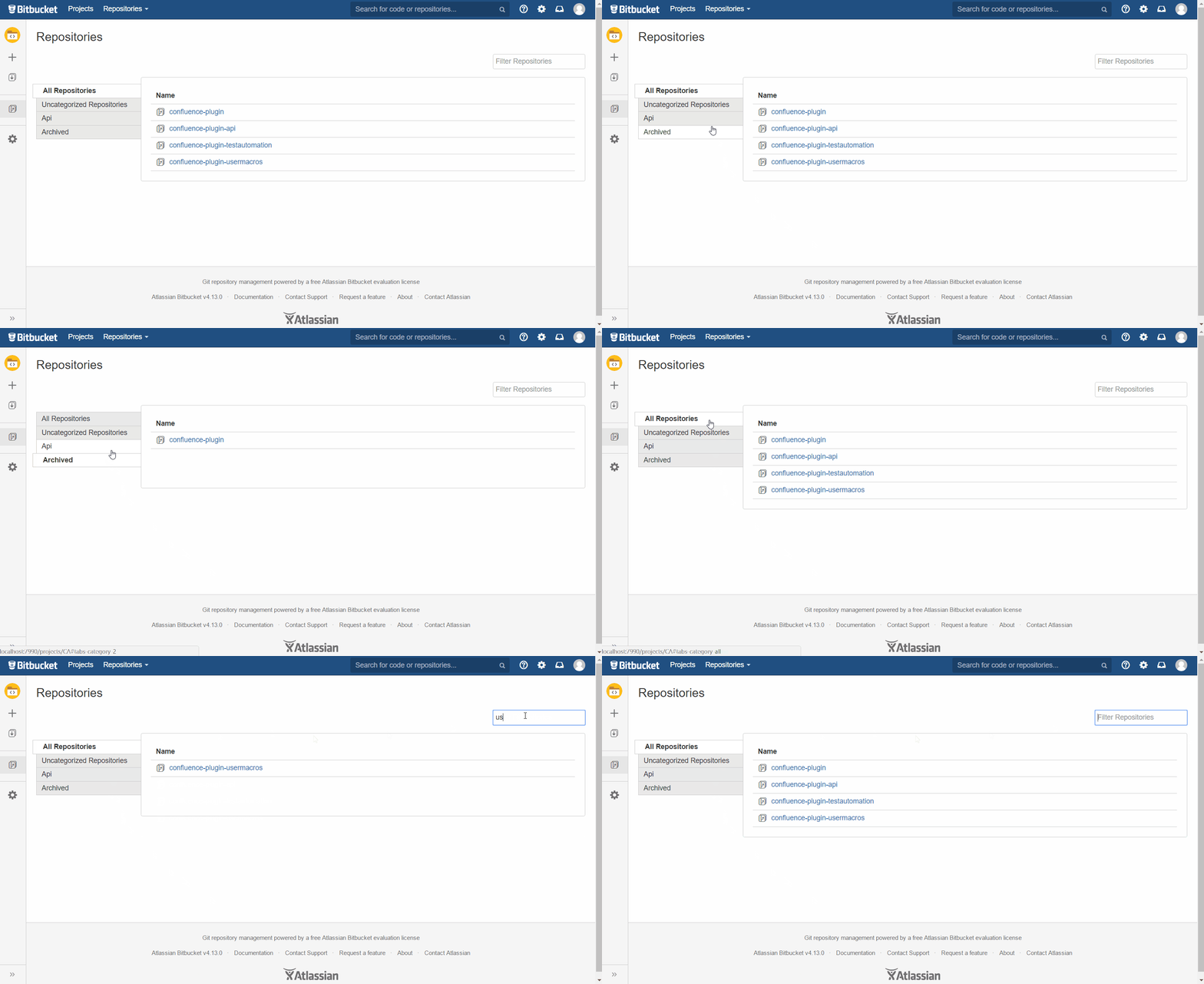
When at least one repository (of the current projects repositories) is assigned a category, a Category Selection Bar will appear on the left of the Repository Overview Page of a project. By clicking one of the tabs, the repositories on the right side will be filtered accordingly.
There is one tab for each category that is assigned to repositories in the current project. Additionally there is always an "All Repositories" tab which displays each repository of the current project. If there are repositories not assigned any categories, there will additionally be an "Uncategorized Repositories" tab.
With the "Filter Repositories" field you are able to search all repositories of the selected tab (by name).