
In SubSpace Navigation for Confluence Version 3.1 we added the navigation macro. This page will show you how to use the macro.
In order to insert any macro, you need to possess editor permissions for the page.
Introduction
The Navigation macro allows you to display a part of the SubSpace Navigation or the complete navigation on a Confluence page. It is displayed as an indented list.
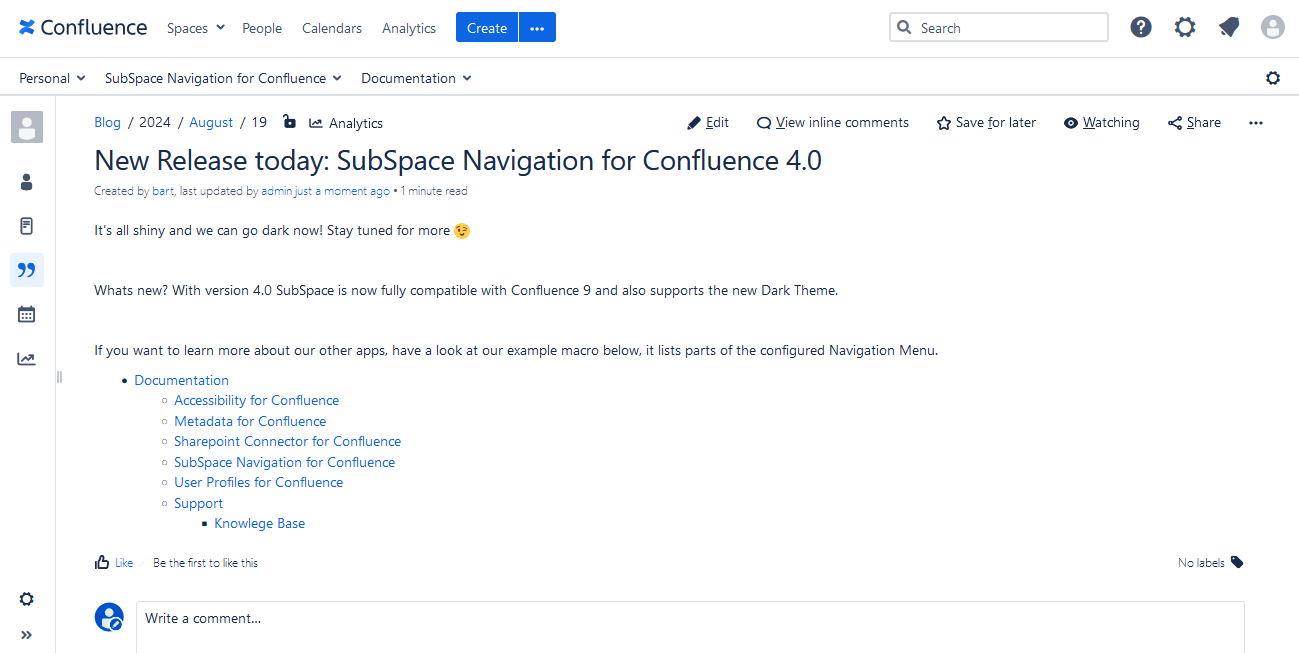
Image 1: Navigation macro (click to enlarge)
Parameters
The Navigation macro comes with parameters to make the macro fit your needs. You can find them listed in the table below.
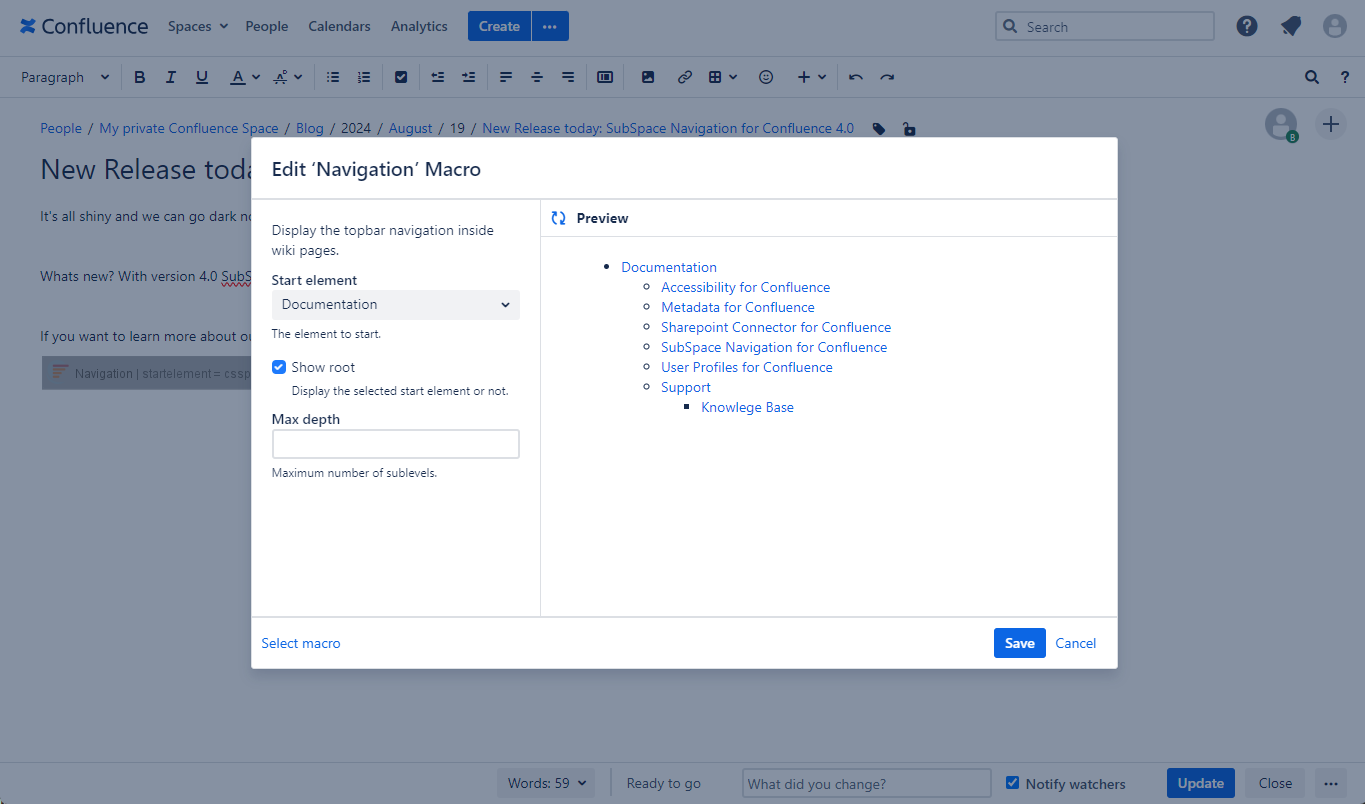
Image 2: Configuration of the Navigation macro (click to enlarge)
|
Parameter |
Default |
Description |
|---|---|---|
|
Start element |
None |
Select a navigation element from the dropdown list. The Navigation macro will display all navigation elements below the selected start element. The start element will be displayed as well, if you check "show root" (see next parameter). |
|
Show root |
Selected |
If selected, the macro will display the start element as the first element in the list. |
|
Max depth |
None |
Here you can configure how many hierarchy levels the macro should display.
|