
In Screen Reader Mode it is not possible to use and edit regular Confluence templates.
To solve this problem, an administrator can create barrier-free templates with the "Accessibility-Template-Macro".
How to Create a Barrier-Free Template
If you possess Confluence administrator permissions, you can define a global barrier-free template via the Confluence Administration Console.
-
Choose "Global Templates and Blueprints"
-
Click on "Add global page template"
-
Insert the "Accessibilitytemplate" Macro
-
Enter text or wiki markup
-
Click on "Save"
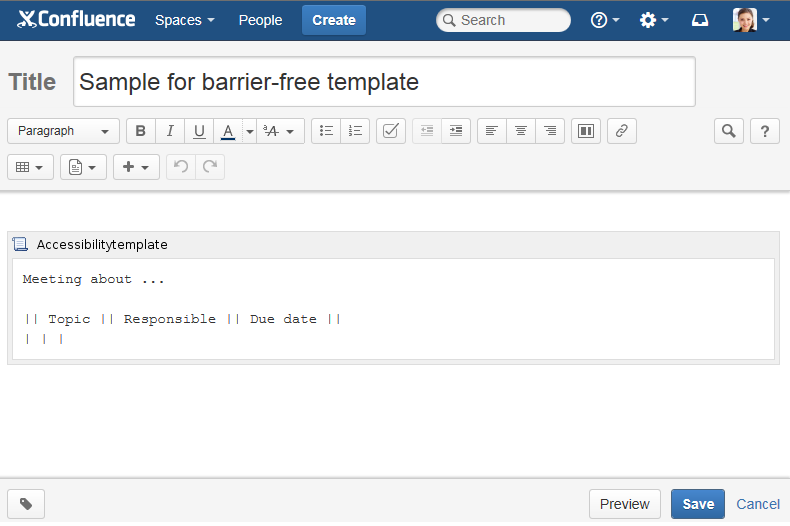
Image 1: Creating a barrier-free template (click to enlarge)
See Using Barrier-Free Templates on how to use the created templates.