
In Screen Reader Mode it is not possible to use and edit regular Confluence templates.
To solve this problem, an administrator can create barrier-free templates, see Creating Barrier-Free Templates.
How to Use a Barrier-Free Template
In screen reader mode, all available barrier-free templates are shown above the title input field.
You can insert a template by clicking on the radio button and then "Apply template".
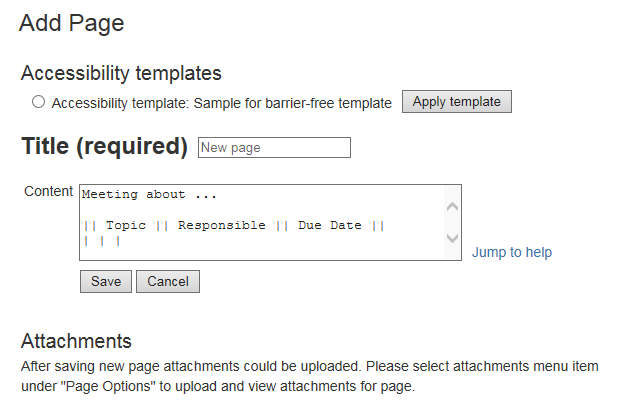
Image 1: Applying an accessibility template (click to enlarge)
After applying a template, the template's text will appear in the text area below.