
You can insert and reference math expressions using Beautiful Math for Confluence using 6 different macros:
Include LaTex macros
See this reference on how to use LaTeX math.
LaTeX Math Block
This macro allows you to include LaTeX math equations which will be rendered as a block macro (standalone).
-
Type
/Math, select the macroLaTeX Math BlockandENTERto add and edit the macro. Alternatively you can pick theLaTeX Math Blockmacro from the macro browser. -
Fill in the formula using the LaTeX syntax in the formula input field.
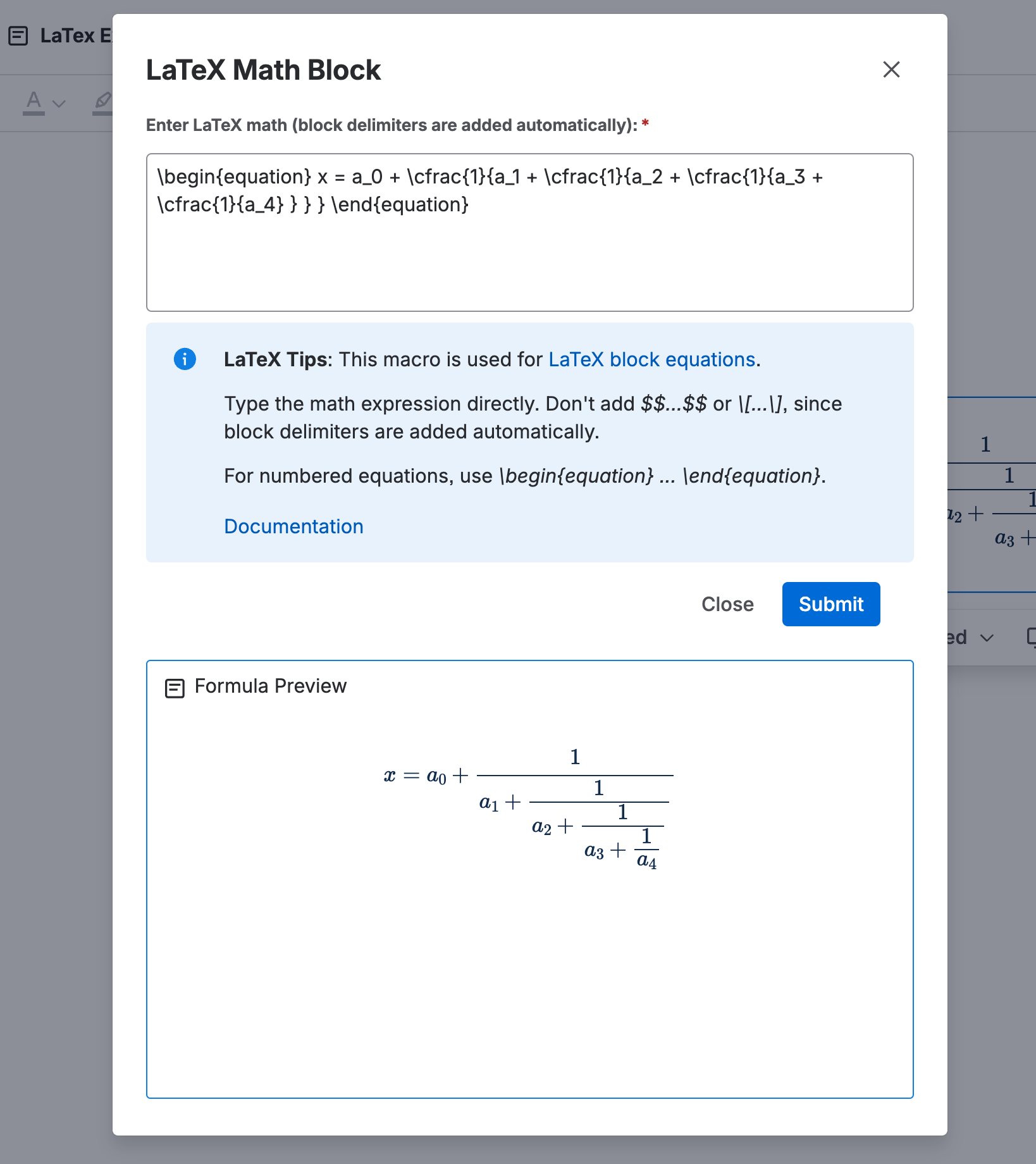
Note that you are not expected to type the LaTeX math delimiters by yourselves. Instead, the add-on adds the pre- and suffix characters ($$).
If you want your expressions to be numbered, put them in a \begin{equation}...\end{equation} environment as in this example. If you don't want your equations being numbered, use the starred version \begin{equation*}...\end{equation*}.
You can configure LaTeX macros in the app settings. Read more here.
Example
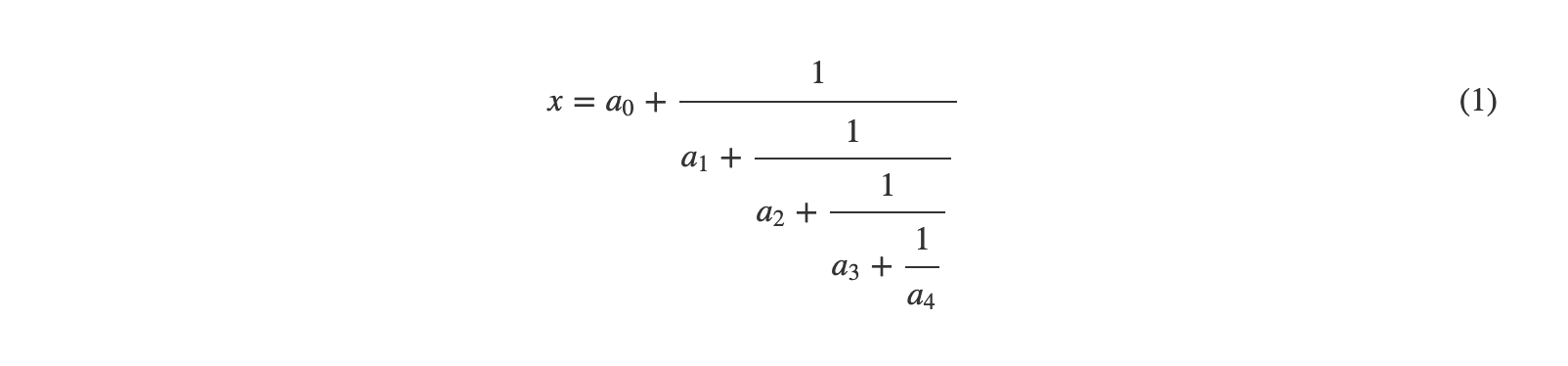
Here is the raw formula of a numbered equation:
\begin{equation} x = a_0 + \cfrac{1}{a_1 + \cfrac{1}{a_2 + \cfrac{1}{a_3 + \cfrac{1}{a_4} } } } \end{equation}
Here is the rendered result:
LaTeX Math Inline
This macro allows you to include LaTeX math inline in your text.
-
Type
/Math, select the macroLaTeX Inline BlockandENTERto add and edit the macro. Alternatively you can pick theLaTeX Math Blockmacro from the macro browser. -
Fill in the formula using the LaTeX syntax in the formula input field.
Note that you are not expected to type the LaTeX math delimiters by yourselves. Instead, the add-on adds the pre- and suffix characters ($$).
Include AsciiMath macros
See this reference for more information about AsciiMath.
AsciiMath Block
This macro allows you to include AsciiMath math equations which will be rendered as a block macro (standalone).
-
Type
/Math, select the macroAsciiMath BlockandENTERto add and edit the macro. Alternatively you can pick theAsciiMath Blockmacro from the macro browser. -
Fill in the formula using the AsciiMath syntax in the formula input field.
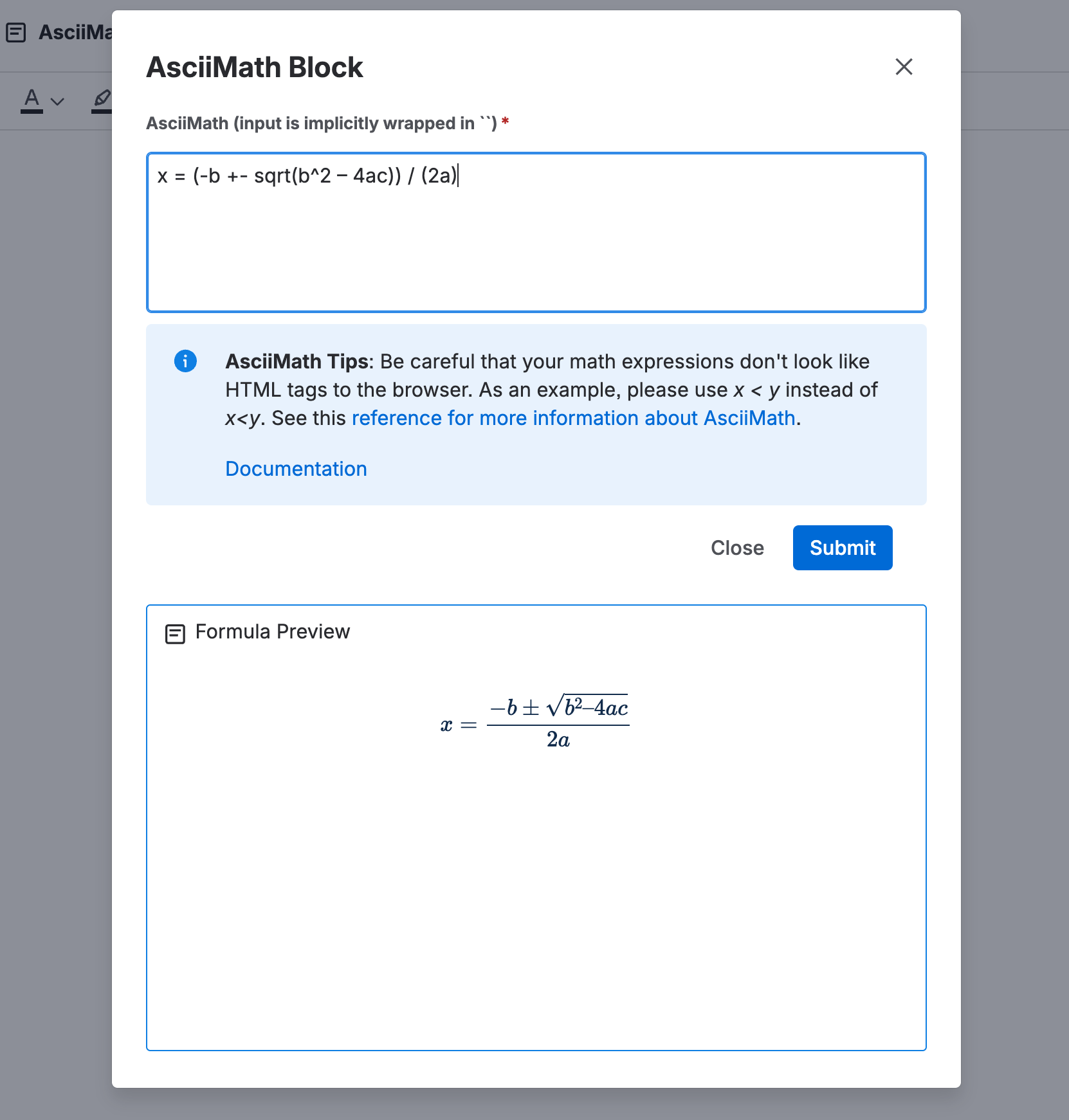
Note that you are not expected to type the AsciiMath delimiters (``) by yourselves. Instead, the add-on adds them for you.
Be careful that your math expressions don't look like HTML tags to the browser. As an example, please use x < y instead of x<y.
Example
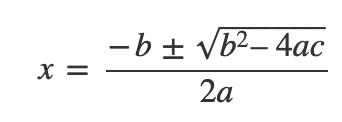
Here is the raw formula of a numbered equation:
x = (-b +- sqrt(b^2 – 4ac)) / (2a)
Here is the rendered result:
AsciiMath Inline
This macro allows you to include AsciiMath math equations which will be rendered inline in your text.
-
Type
/Math, select the macroAsciiMath InlineandENTERto add and edit the macro. Alternatively you can pick theAsciiMath Inlinemacro from the macro browser. -
Fill in the formula using the AsciiMath syntax in the formula input field.
Note that you are not expected to type the AsciiMath delimiters (``) by yourselves. Instead, the add-on adds them for you.
Be careful that your math expressions don't look like HTML tags to the browser. As an example, please use x < y instead of x<y.