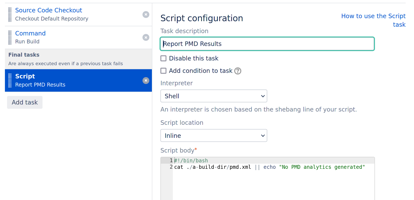
To show PMD analysis results, print the PMD XML to the build log.
Using PMD Command Line
For the PMD CLI, use the --format xml flag to print out the PMD analysis into the build log. For example:
run.sh pmd --dir $PWD/src/main --rulesets category/java/bestpractices.xml --format xml
Using Maven PMD
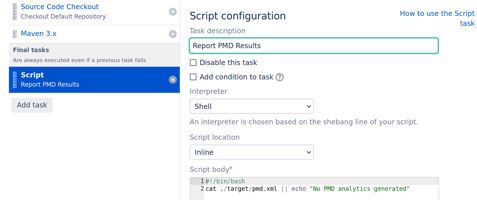
The Maven PMD plugin doesn’t support printing the XML into the logs. Instead print the generated target/pmd.xml file into the build log by a final task:
#!/bin/bash
cat ./target/pmd.xml || echo "No PMD analytics generated"
Using Gradle PMD
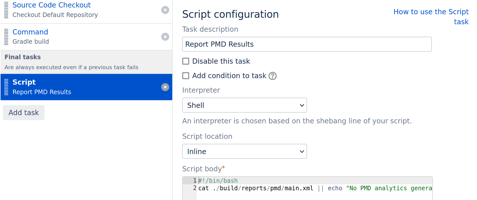
The Gradle PMD plugin doesn’t support printing the XML into the logs. Instead print the generated ./build/reports/pmd/main.xml file into the build log by a final task:
#!/bin/bash
cat ./build/reports/pmd/main.xml || echo "No PMD analytics generated"
Using PMD via other Build System
Typically the build system tool generate a PMD report xml. Dump that to the console by a final task. For example:
#!/bin/bash
cat ./a-build-dir/pmd.xml || echo "No PMD analytics generated"