
Upload App
-
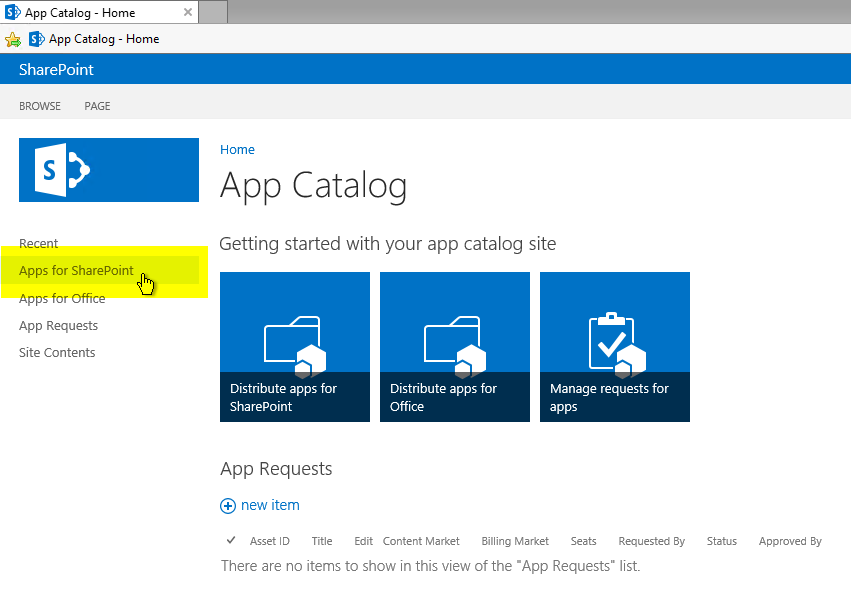
In the App Catalog click Apps for SharePoint (see below image)
-
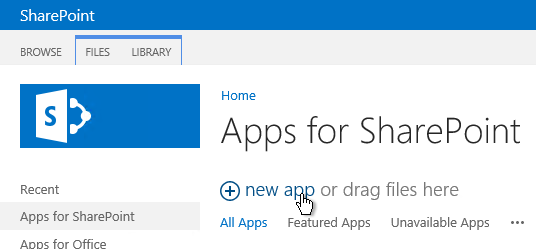
Click new app (see below image)
-
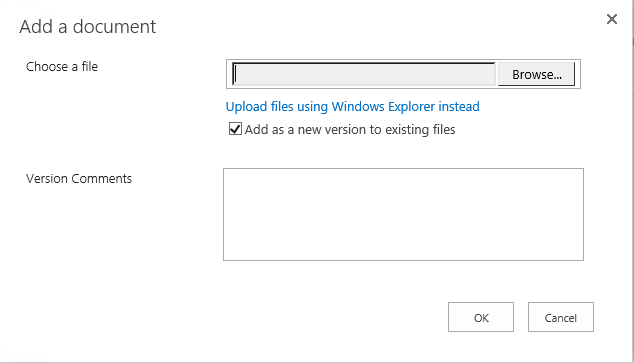
Click Browse... and choose the .app file. Then click OK. (see below image)
-
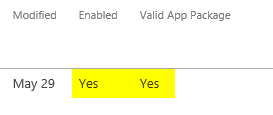
In the Apps for SharePoint list check that the package is enabled and valid (see below image)
Register App
Go to the browser URL and delete the part after <sharepoint-url>.../_layouts and add /appregnew.aspx
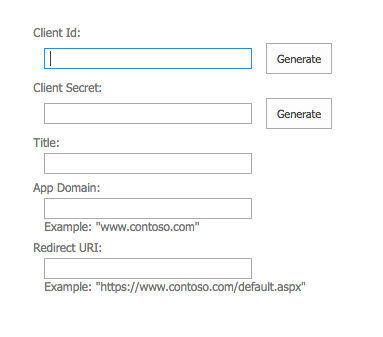
You should get a form asking for Client Id, Client Secret etc like in the below image:
-
Paste the Client Id: 1a00be32-7025-467b-ae12-93e887478b48
-
Click Generate a Client Secret App key
-
Title: Confluence Content
-
App Domain: Confluence host of the confluence base URL - that means without https:// e.g. communardo.de
-
Redirect URI: Confluence base URL with path: /plugins/servlet/csi/sp/provider attached, e.g. https://communardo.de/plugins/servlet/csi/sp/provider
The add-in can now be added by users to sites.