
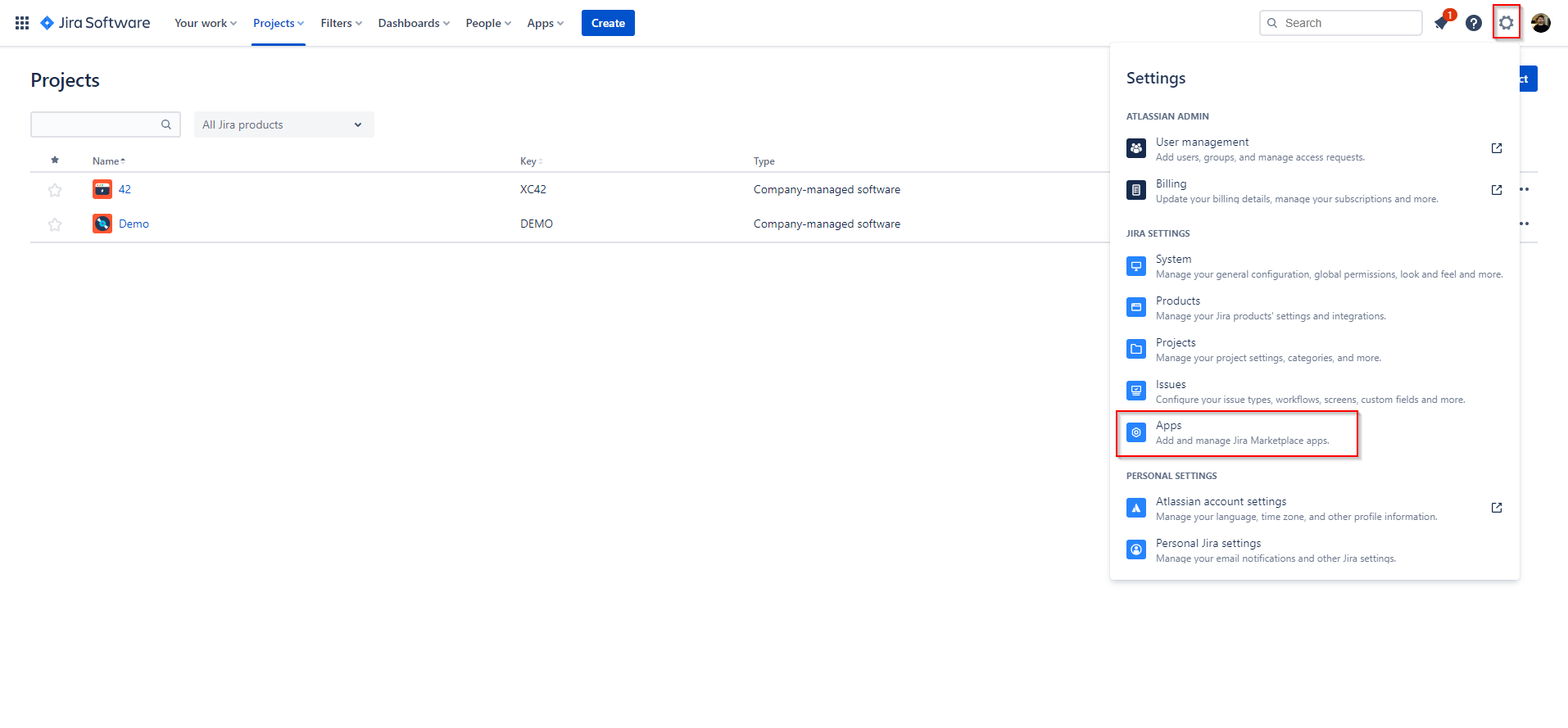
To configure User Profiles for Jira Cloud (Microsoft Attributes Sync) go to > Jira settings > Apps
Afterwards go to User Profiles configuration in the left sidebar.
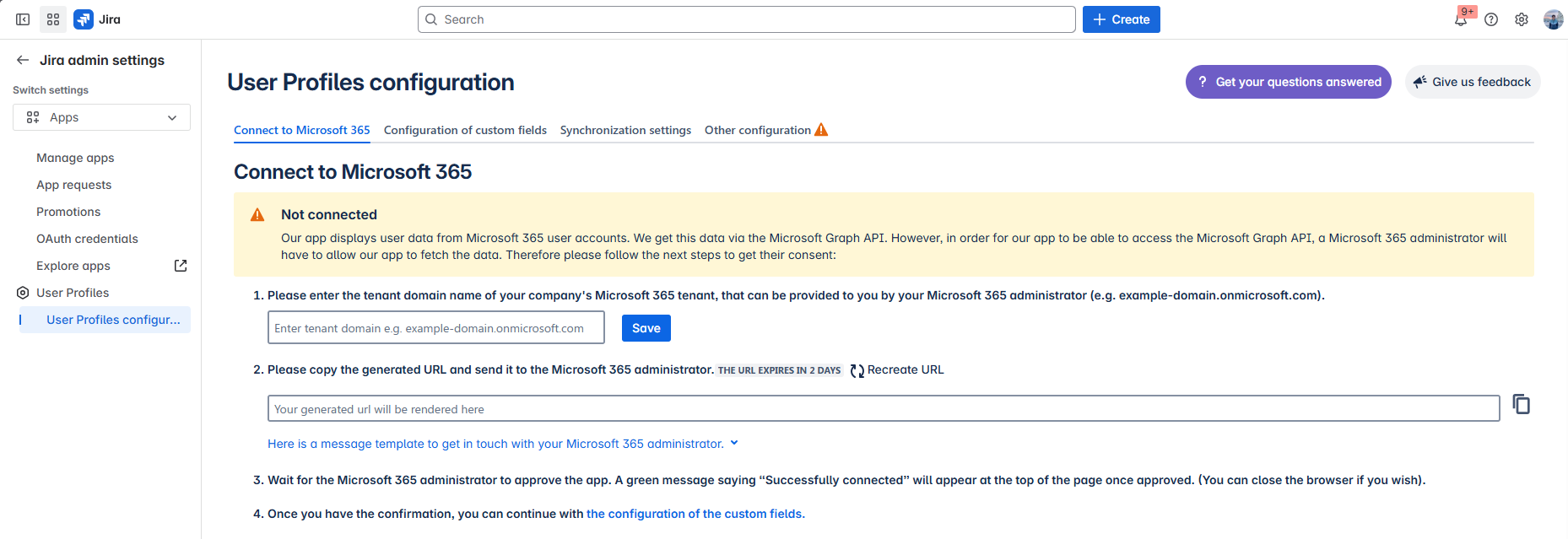
Once you are in the User Profiles configuration page you will be presented with 4 tabs: