
Configuration
Use the MSBuild Sonar™ task for the “classic” .NET Framework 4.6+ builds. For other .NET related builds, use the dotnet task.
|
1 |
Install the MSBuild Sonar™Scanner as described in https://docs.sonarqube.org/latest/analysis/scan/sonarscanner-for-msbuild/ Make sure to download the version for .NET Framework 4.6+. Example projects for MSBuild can be found here. |
|
2 |
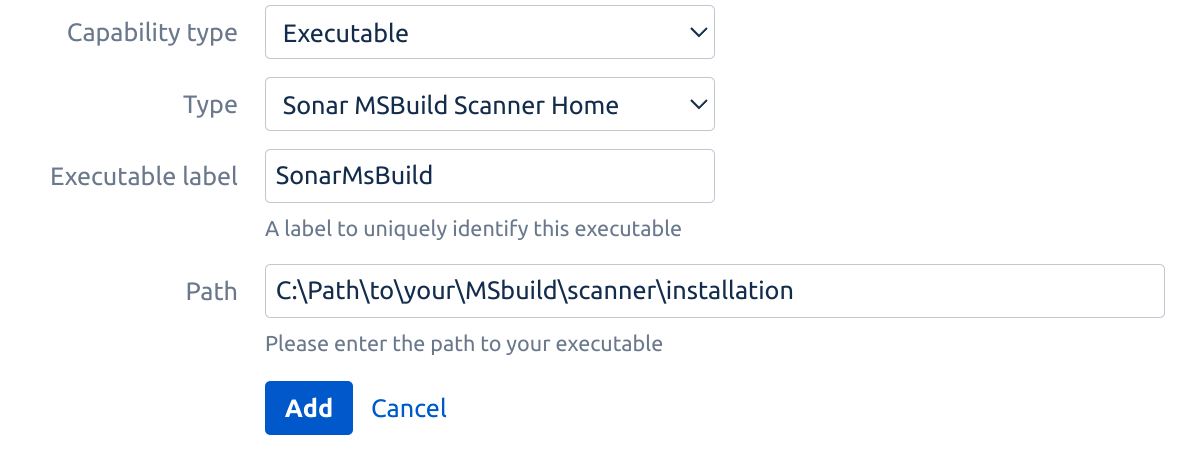
Configure Build Agent Capability
|
|
3 |
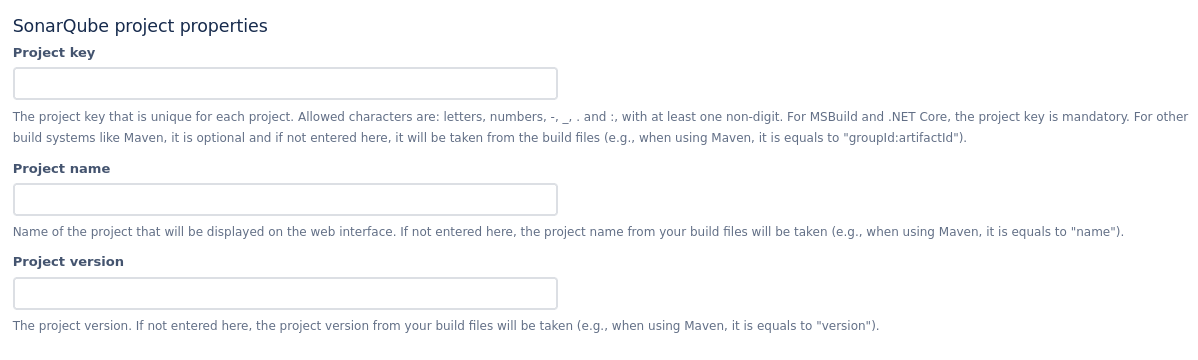
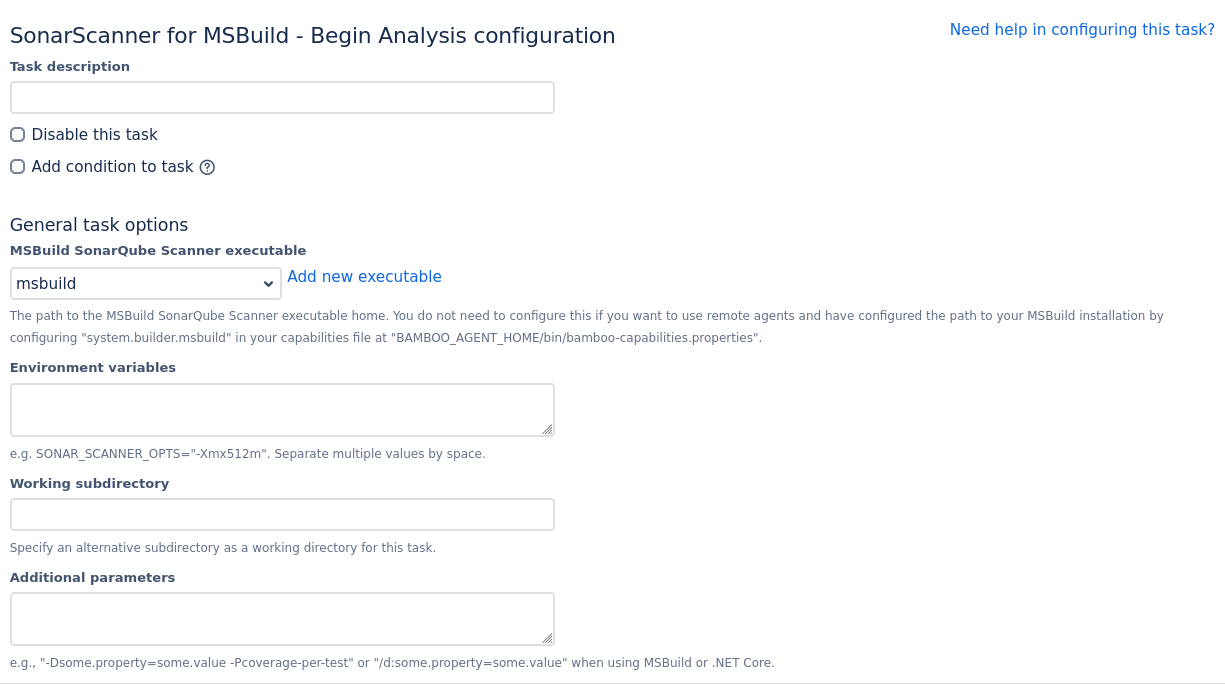
Add a Sonar™ Scanner for MSBuild - Begin Analysis task to your build plan
|
|
4 |
Add a MSBuild task to build your build plan:
|
|
5 |
Add a Sonar™ Scanner for MSBuild - End Analysis task to your build plan
|
|
6 |
Setup test coverage:
|
Tips & Troubleshooting
On SonarQube™ versions older than 9.3 you might encounter this error:
-
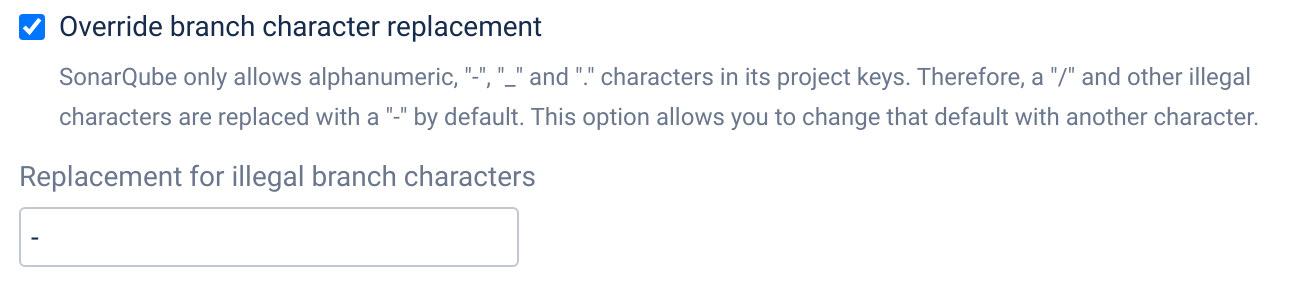
error 07-Jan-2022 14:50:44 Invalid project key. Allowed characters are alphanumeric, '-', '_', '.' and ':', with at least one non-digit.
Update your tasks and enable option "Override branch character replacement" with the "-" character as value.
SonarQube™ scanners need access to the full git repository. If you encounter issues, e.g. in a containerized build, ensure that you
-
uncheck "Use shallow clones" option (Fetches the shallowest commit history possible. Do not use if your build depends on full repository history)
-
check "Fetch whole repository" option (Fetches whole repository instead of only one branch)
SONAR™, SONARQUBE™ and SONARCLOUD™ are independent and trademarked products and services of SonarSource SA: see sonarsource.com, sonarqube.com and sonarcloud.com.