
Configuration
-
Configure the Sonar™Scanner as described in the SonarQube™ Wiki.
-
See the official Sonar™Scanner example projects for inspiration
-
-
Add a Sonar™ Scanner task to your Bamboo job
-
For test coverage in SonarQube™ with Sonar™Scanner, please pass the required parameters to specify the path to the coverage reports as described in the SonarQube™ Wiki.
How to use with Docker
-
Define a remote agent capability for the Sonar™Scanner CLI Docker image:
-
Go to Bamboo > Agents > Shared Remote Capabilities
-
Create a new capability of type
Customwith keydocker-sq-scannerand value/opt/sonar-scanner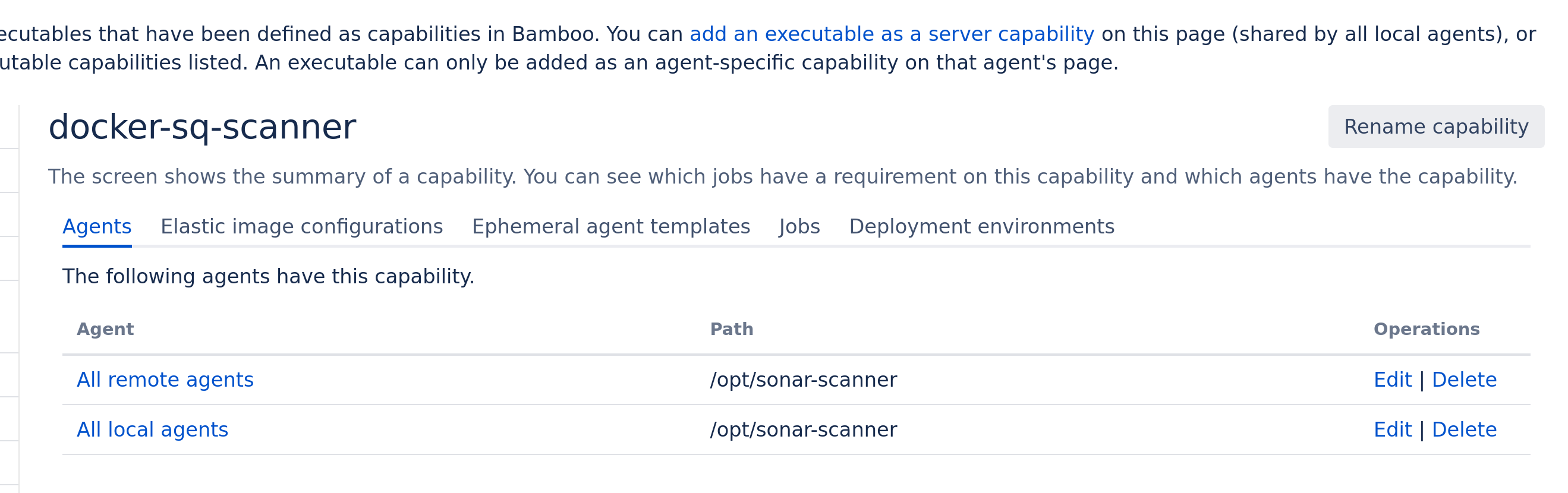
-
Create a new Bamboo job for the SonarQube™ analysis and use the Docker image
sonarsource/sonar-scanner-cli:latest:
d. Add the Sonar™Scanner task configuration, and choose for the field
SonarQube™Scanner executablethe valuedocker-sq-scanner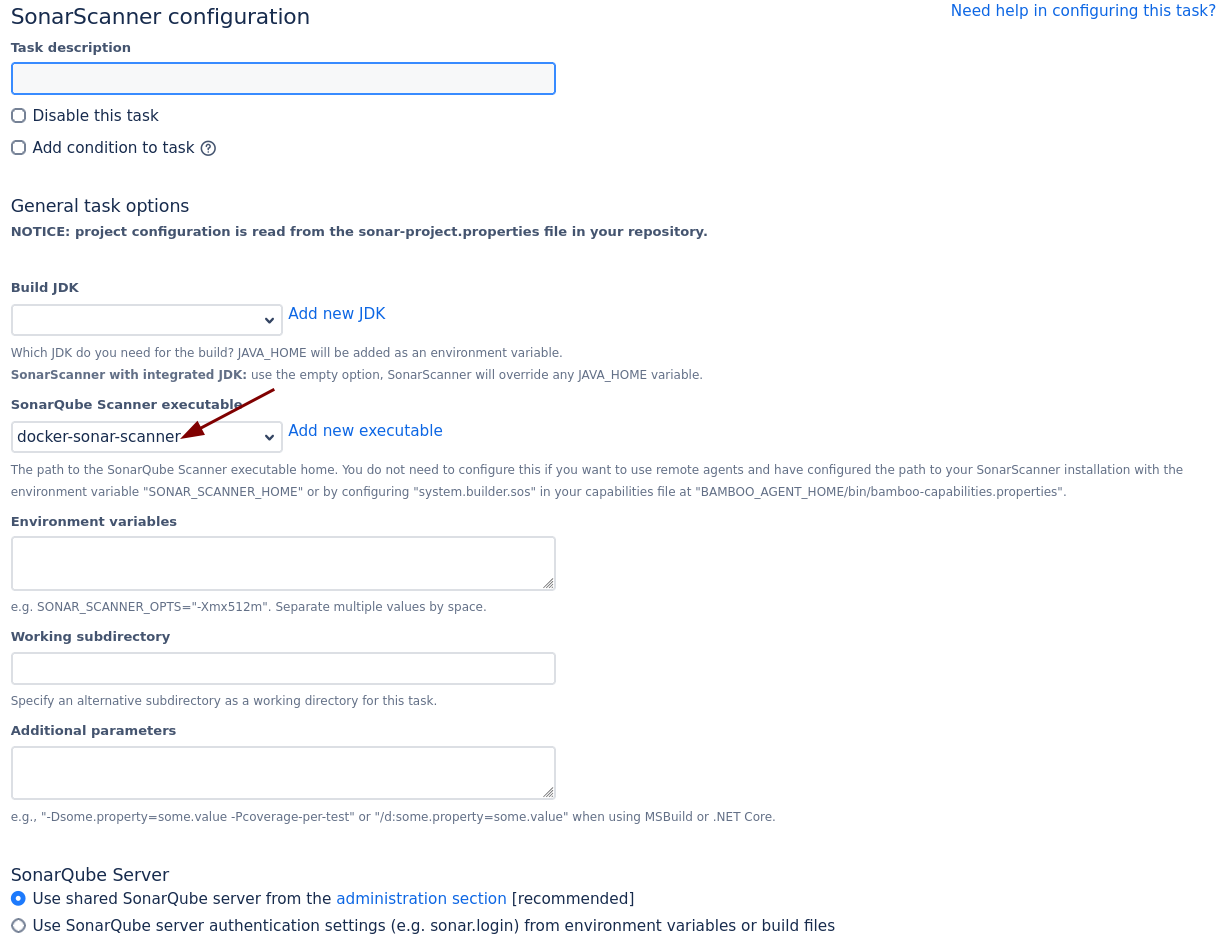
-
Run the Bamboo job, and the analysis should work fine.
-
If you experience any errors like JGit
Failed to find all committed files, make sure you follow the troubleshooting advice below.
-
Tips and Troubleshooting
Remote Agents
If you use Sonar™Scanner task on a remote agent, set the capability by either
a) adding a Sonar™Scanner capability to your remote agent in the Bamboo UI, see above
b) or add the following key/value pair to your bamboo-agent-home/bin/bamboo-capabilities.properties file, see Bamboo docs for more details:
-
system.builder.sos.SonarScanner=/path/to/your/sonarqube-scanner/home
SonarQube™ scanners need access to the full git repository. If you encounter issues, e.g. in a containerized build, ensure that you
-
uncheck "Use shallow clones" option (Fetches the shallowest commit history possible. Do not use if your build depends on full repository history)
-
check "Fetch whole repository" option (Fetches whole repository instead of only one branch)
SONAR™, SONARQUBE™ and SONARCLOUD™ are independent and trademarked products and services of SonarSource SA: see sonarsource.com, sonarqube.com and sonarcloud.com.