
Global SonarQube Server configuration to be reused in all build plans.
Include Code Quality for Bamboo supports to have multiple SonarQube™ servers configurations under (Bamboo Administration > Apps > Include Code Quality for Bamboo):
-
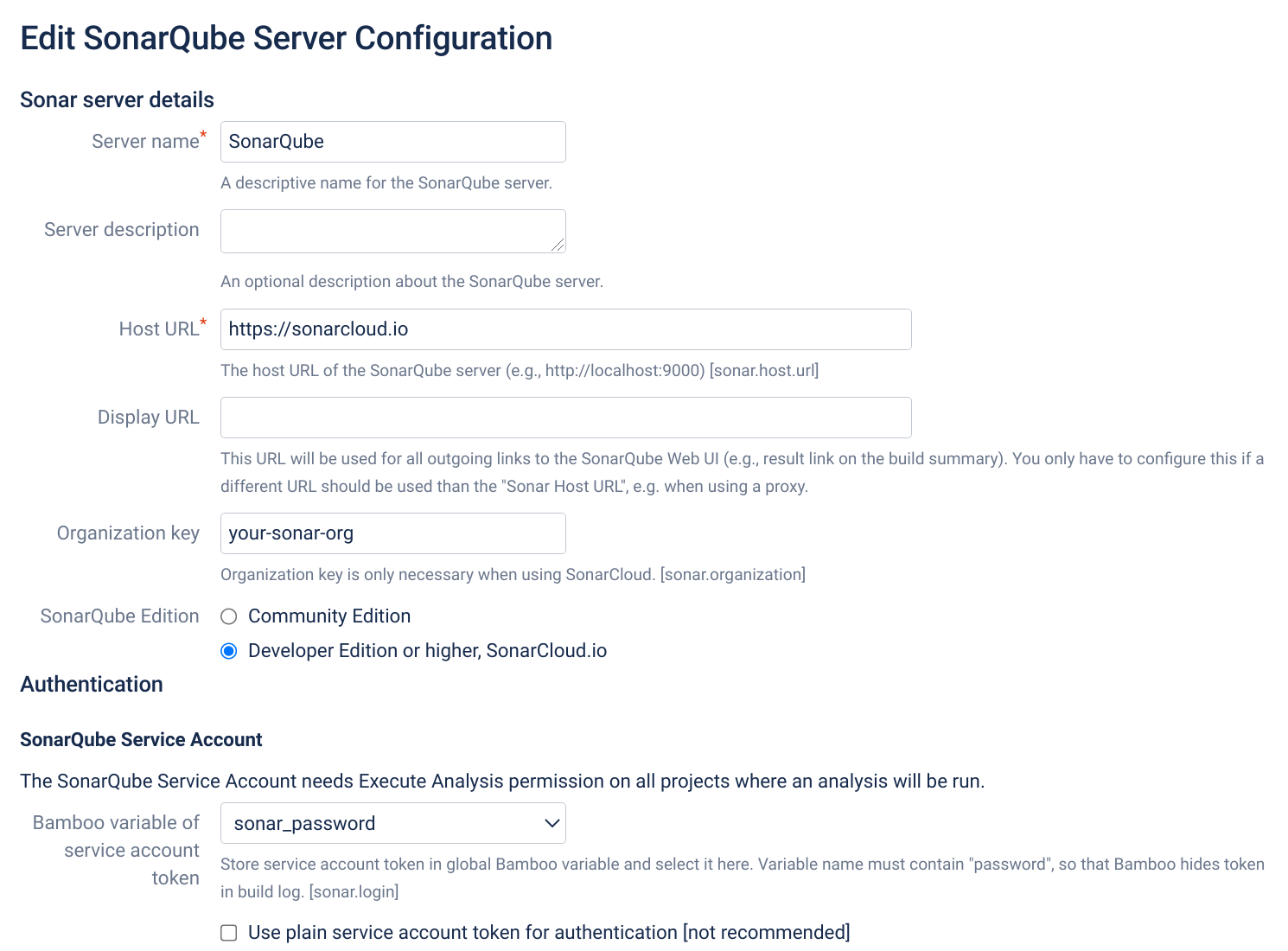
Add your SonarQube™ Server Configuration under https://YOUR_BAMBOO/admin/sonar4bamboo/viewSonarServerConfigs.action
-
Use SonarQube™ users tokens for authentication. Login/Password is slower and therefor deprecated in SonarQube™ and Include Code Quality for Bamboo.
-
Save token in a Bamboo variable with a name containing password, to prevent leaking in build log
-
-
For SonarCloud™:
-
Host Url: use https://sonarcloud.io
-
Organization key: add your SonarCloud™ organization key
-
-
-
Save it
-
Check that the connection test worked.
Note that Sonar for Bamboo stores credentials encrypted in the Bamboo database.
SONAR™, SONARQUBE™ and SONARCLOUD™ are independent and trademarked products and services of SonarSource SA: see sonarsource.com, sonarqube.com and sonarcloud.com.