Public projects
No configuration needed.
Private projects
By default no configuration is required. Each user will have to authenticate with OAuth to Bitbucket to access the content. Therefore, each Confluence user also needs a Bitbucket account to see the private projects.
Shared Authentication
Alternatively, shared authentication can be used. All Confluence users will share the same authentication to Bitbucket and therefore won’t need a Bitbucket account. Confluence users will see all content the authentication token has access to.
Using a Shared workspace or repository scoped token
-
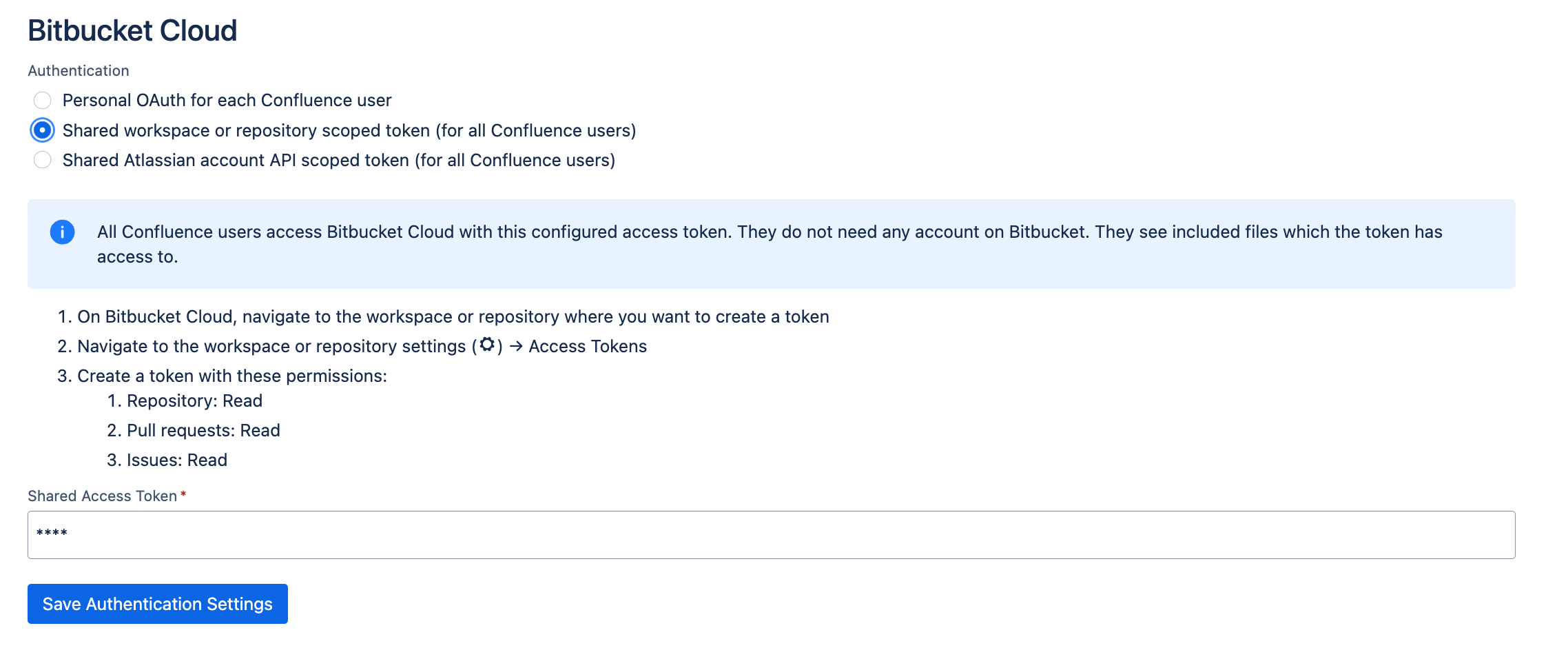
On Bitbucket Cloud, navigate to the workspace or repository where you want to create a token
-
Navigate to the workspace or repository settings → Access Tokens
-
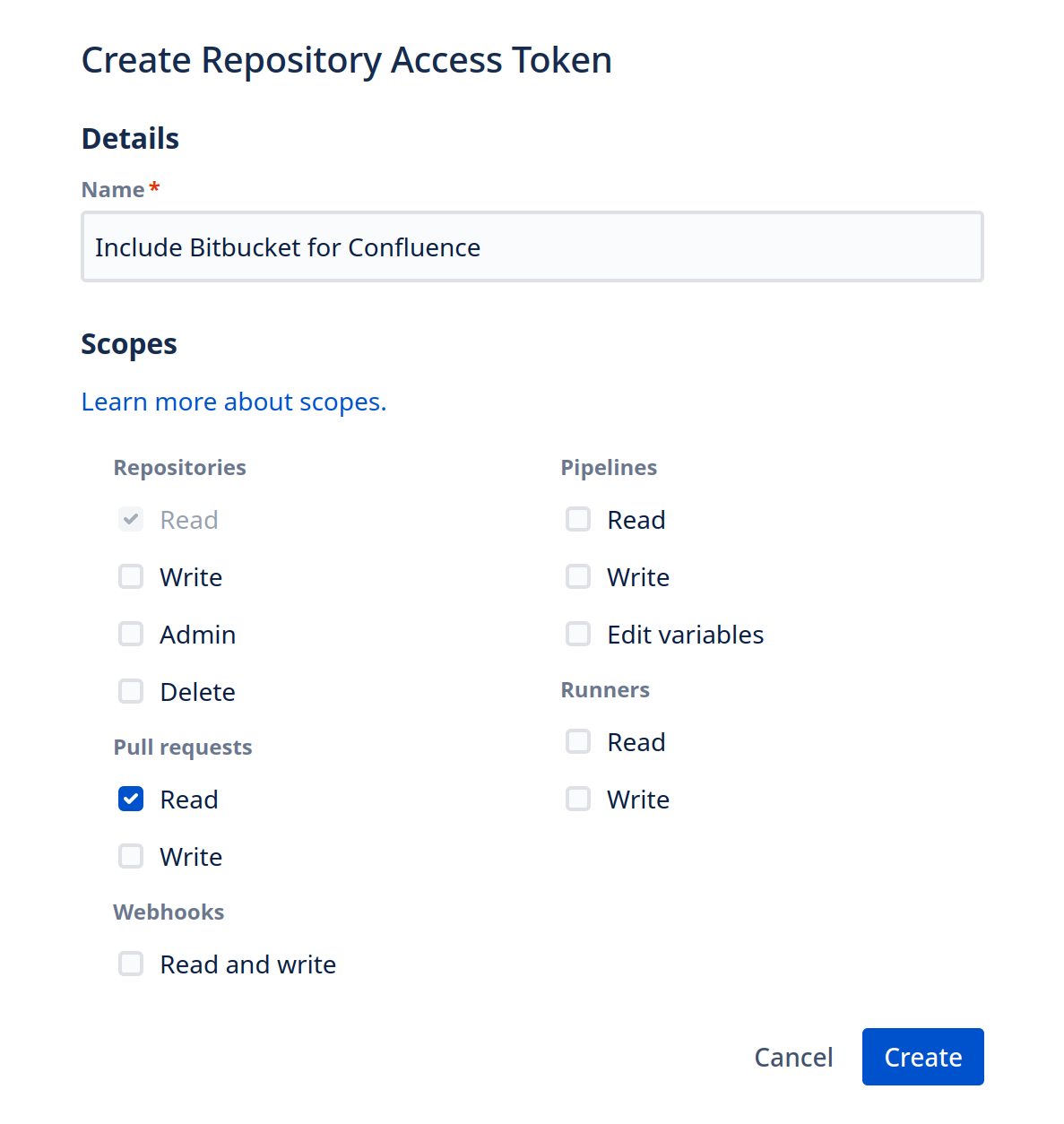
Create a token. It should have these permissions:
-
Repository: Read
-
Pull requests: Read
-
-
In Confluence, navigate to the Settings → Include Bitbucket
-
Switch the authentication method to Shared workspace or repository scoped token
-
Save the token
Using Atlassian account API scoped token
-
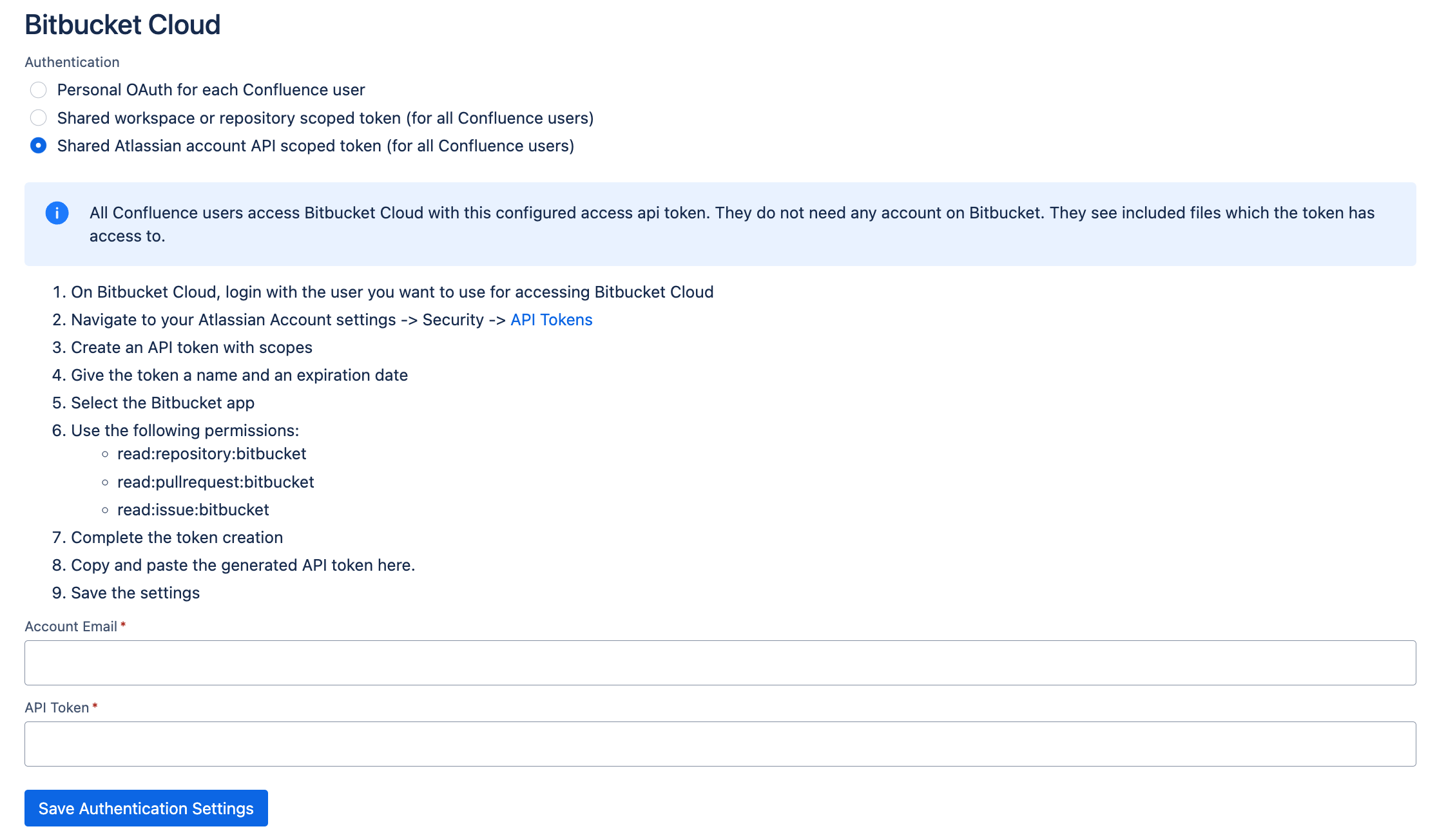
On Bitbucket Cloud, log in with the account which will be used to access private repositories
-
Navigate to your Atlassian Account settings -> Security -> API Tokens
-
Create an API token with scopes
-
Give the token a name and an expiration date
-
Select the Bitbucket app
-
Use the following permissions:
-
read:repository:bitbucket
-
read:pullrequest:bitbucket
-
read:issue:bitbucket
-
-
Complete the token creation
-
In Confluence, navigate to the Settings → Include Bitbucket
-
Switch the authentication method to Shared Atlassian account API scoped token (for all Confluence users).
-
Enter the account email (Must be the Atlassian account login email. Not the Bitbucket username)
-
Enter the create API Token
-