You can include information on branches from a Bitbucket repository by adding lists of branches in your Confluence page. For each branch you will get the name and last updated information (date and user of last update).
Add the macro
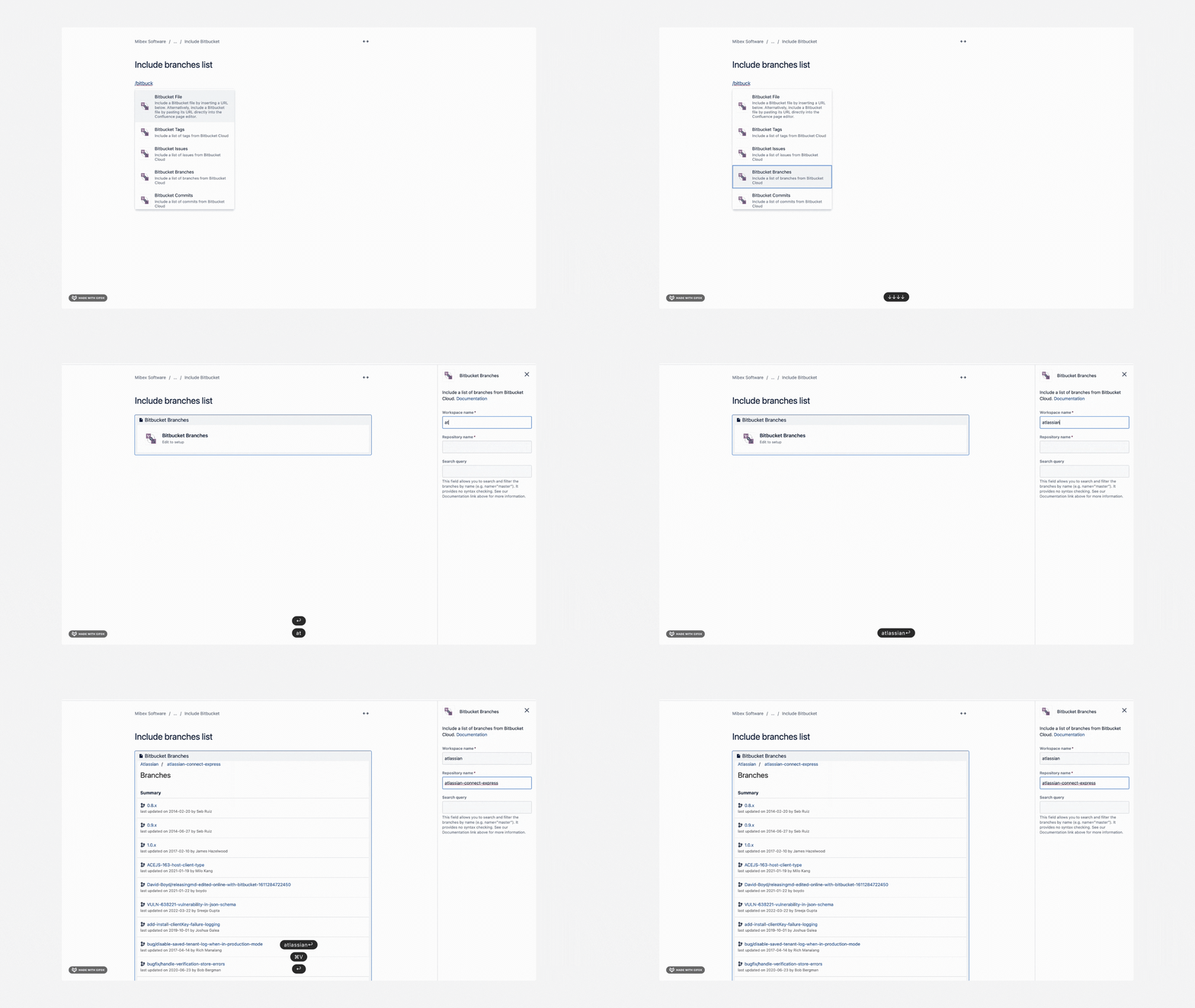
You can add the macro either by:
-
typing directly
/Bitbucket BranchesandENTER, or -
using the Insert button from the editor toolbar and then picking the Bitbucket Branches macro from the “External Content” category of the macro library.
You will then be prompted to specify the following:
|
|
Name of the workspace including the repository |
|
|
name of the repository |
|
|
Query used to filter and sort the list of branches. Check out the section below for more information on querying. |
Query specific sets of branches
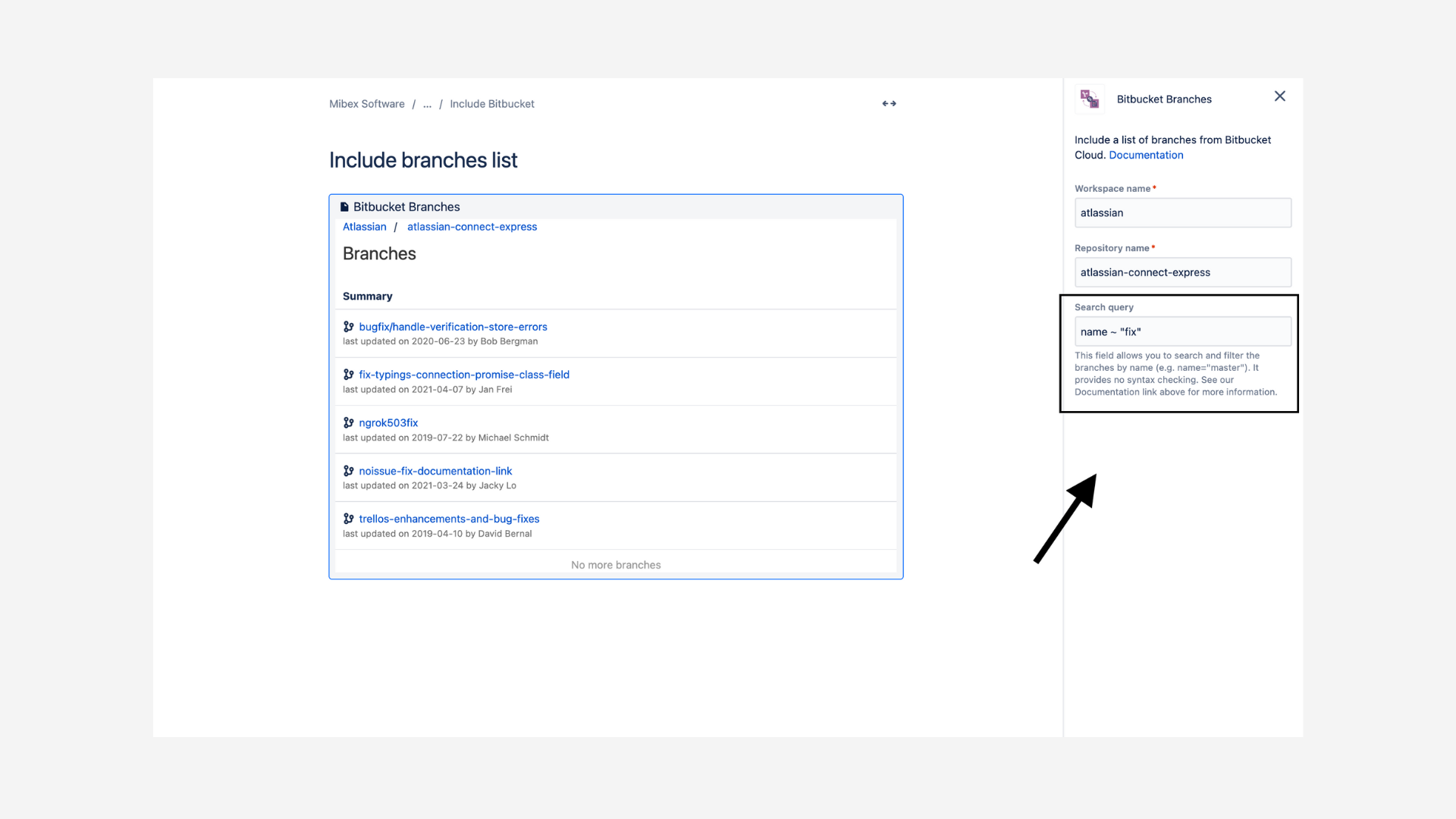
As mentioned above you can add a query option to the macro to display a specifically filtered list of branches.
The filtering syntax supported by the Bitbucket API is available in their documentation here: The Bitbucket Cloud REST API
Example:
|
List all branches whose name contains fix |
|
When adding search queries you can run the query and preview results simply by clicking out of the search query input field.