
This page provides an overview of the options for backing up and exporting values stored in the Metadata fields of a Content Category.
📑 Metadata and Confluence Page Export Feature
Confluence provides the ability to export pages in Word or PDF format.
In Metadata for Data Center (DC), this feature allows you to easily export Confluence pages containing Metadata macros and their content. However, in Confluence Cloud, Metadata macros and their content cannot yet be exported to Word or PDF documents using the Page Export feature.
But Confluence pages containing Metadata macros, along with their content, can still be exported, backed up, and imported as needed.
📁 Metadata and Confluence Space Export
Confluence offers the option to export data from a space in various formats. This export feature includes the ability to capture Metadata field values and Metadata macro content for future import.
The supported file formats for importing data, including Metadata values, are CSV and XML.
When importing a previously exported CSV or XML file, ensure that the Content Categories match those used in the exported space. The Metadata fields associated with these Content Categories should also align.
🔄 Metadata and Confluence Site Import
Confluence Cloud also supports the import of site backups.
The ZIP file generated during a Confluence Cloud backup includes data related to Metadata, such as values of Content Category fields assigned to pages and Metadata macro content values.
These values are restored when the site backup is imported.
As with space exports, ensure that the Content Categories and associated Metadata fields in the import match those used in the exported space.
🚫 Limitation on importing and backing up certain values
Some values stored in Metadata fields may not be imported or backed up. This issue commonly arises with Metadata fields of the Page link type.
If the Page link field references a page that was also exported and imported as part of a space or site backup, the value of the field may appear blank.
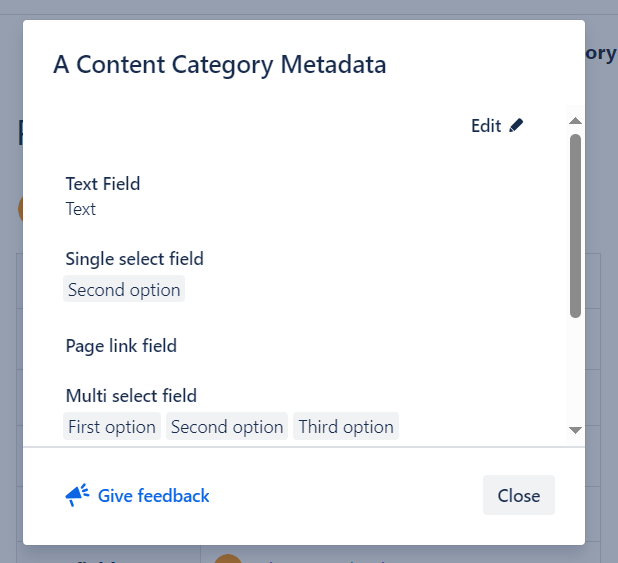
If you attempt to edit this field, Confluence may indicate that the referenced page is deleted.
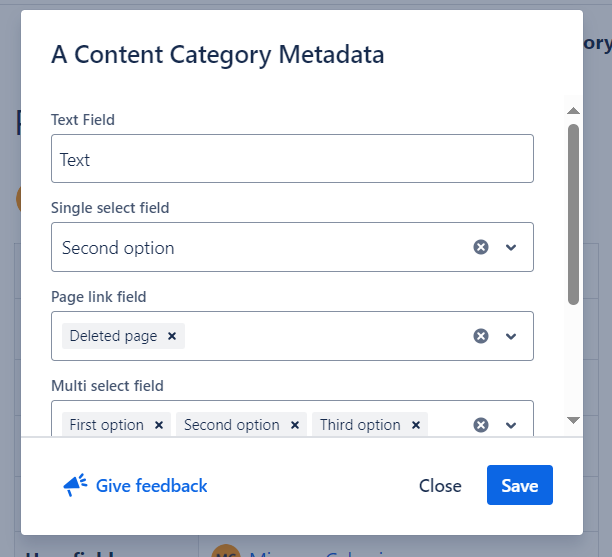
But if the Page link field references a page that still exists and was not part of any import/back up, the field will display its stored value as expected.