
Description
The cascading select allows you to display select values which are categorised by the parent value. With the Custom Field Option Synchroniser you can retrieve both the parent and child values from your custom database tables.
Example
This is a simple example that shows how to use the Custom Field Option Synchroniser in a combination with the cascading select.
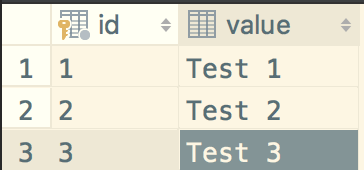
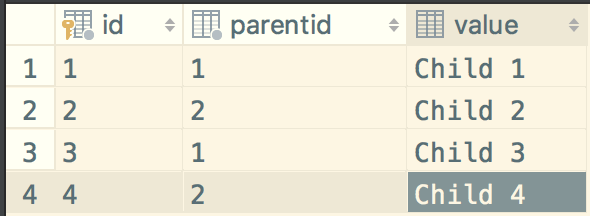
Both tables in this example contain the only necessary columns which are required for the cascading select.
Parent table
Definition
CREATE TABLE `my_foo_parent` (
  `id` int(11) NOT NULL,
  `value` varchar(255) COLLATE utf8_bin DEFAULT NULL,
  PRIMARY KEY (`id`)
) ENGINE=InnoDB DEFAULT CHARSET=utf8 COLLATE=utf8_bin
Data
Child table
Definition
CREATE TABLE `my_foo_child` (
  `id` int(11) NOT NULL,
  `parentid` int(11) NOT NULL,
  `value` varchar(255) COLLATE utf8_bin DEFAULT NULL,
  PRIMARY KEY (`id`)
) ENGINE=InnoDB DEFAULT CHARSET=utf8 COLLATE=utf8_bin
Parentid can be a column directly on the child table or the value can later be retrieved with joins though it normally should be a 1 to m relationship where the foreign key is in the child table. There is no need though to actually define a foreign key.
If there is no connection in the database on the table you need to define a mapping table for the parent-child relationship and join the mapping table in the child query.
Data
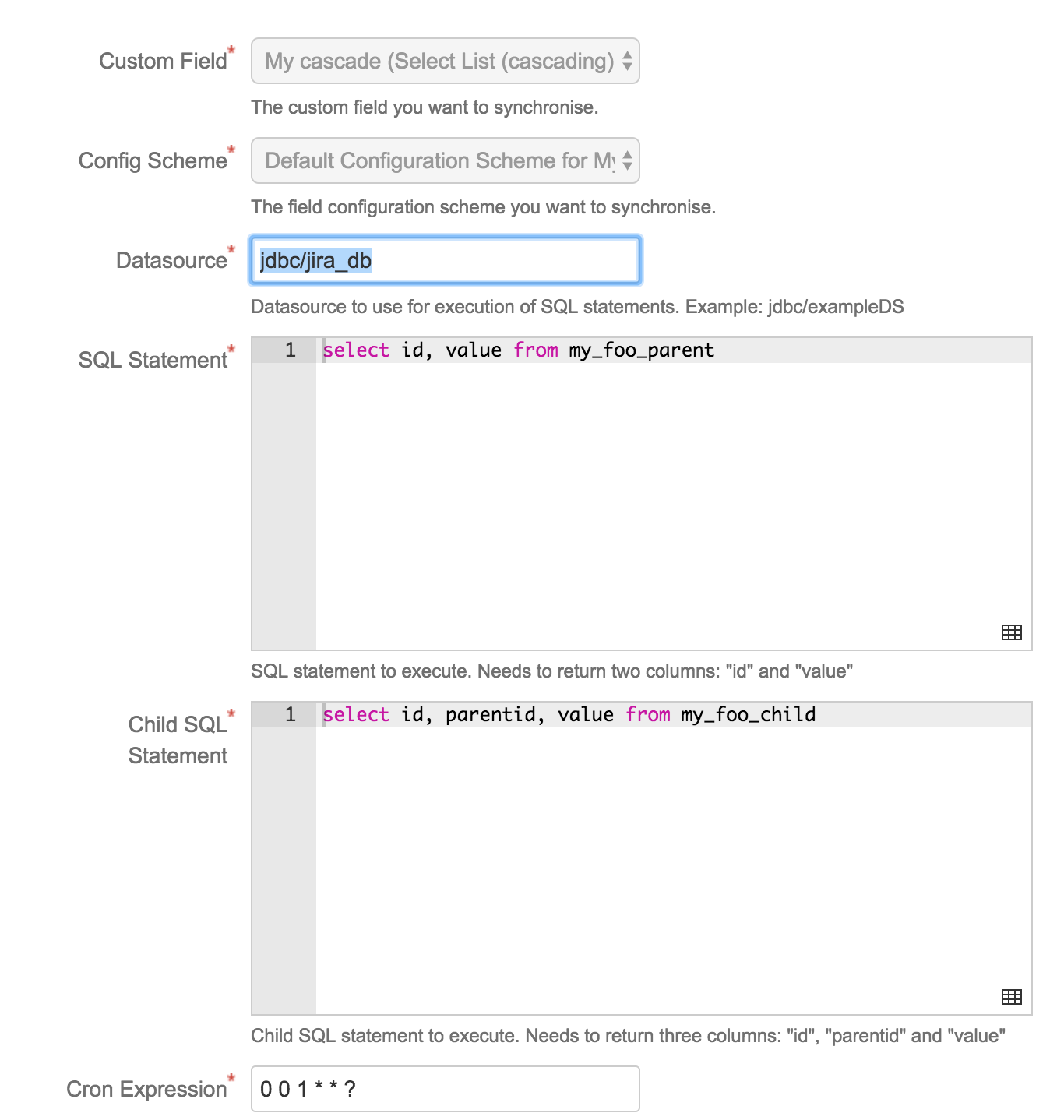
Custom field sync configuration
Custom field
Definition
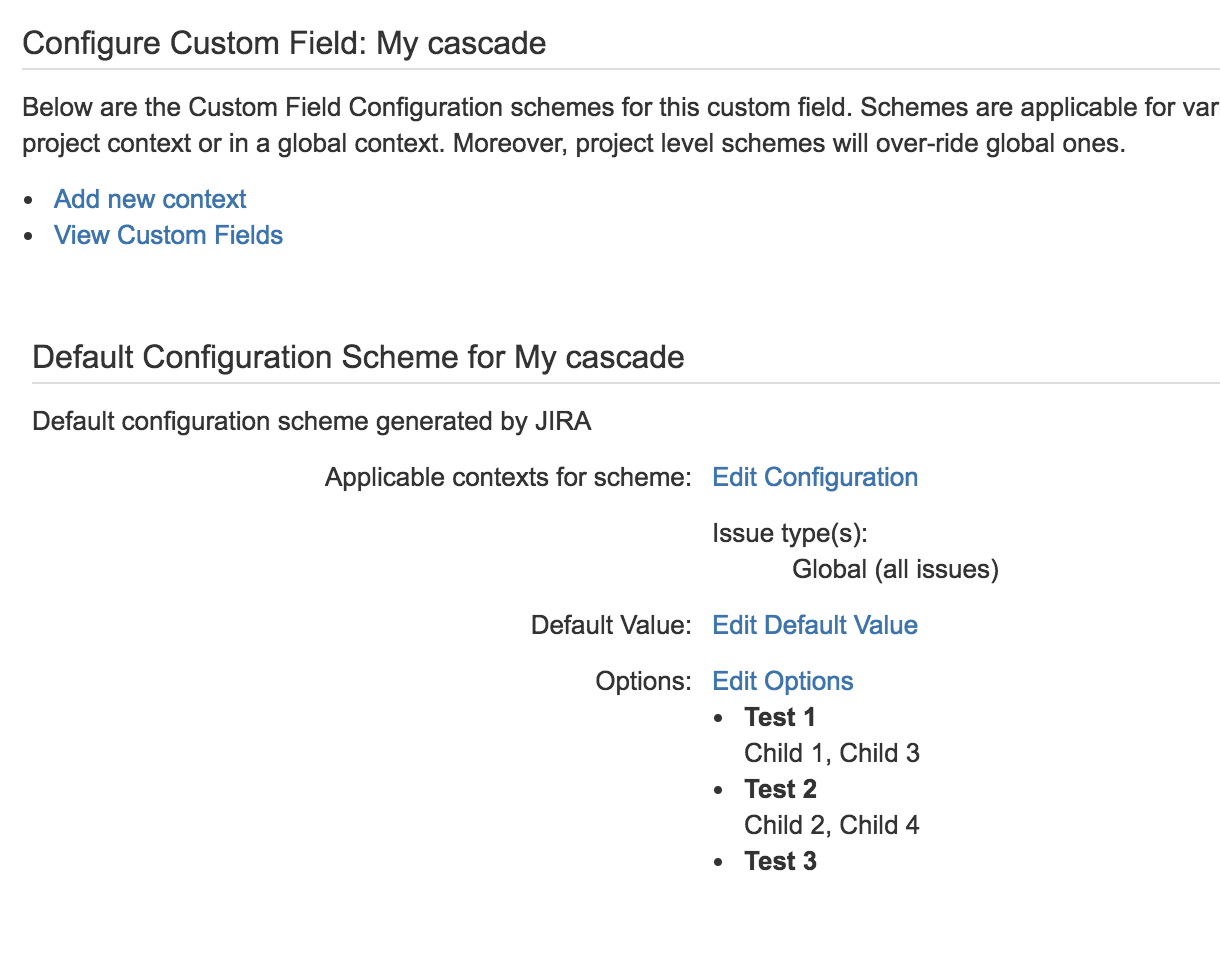
After a sync the custom field which you defined in the sync configuration is populated with the following values.
Ticket view
Each parent has as options only the children as child values.



Related articles