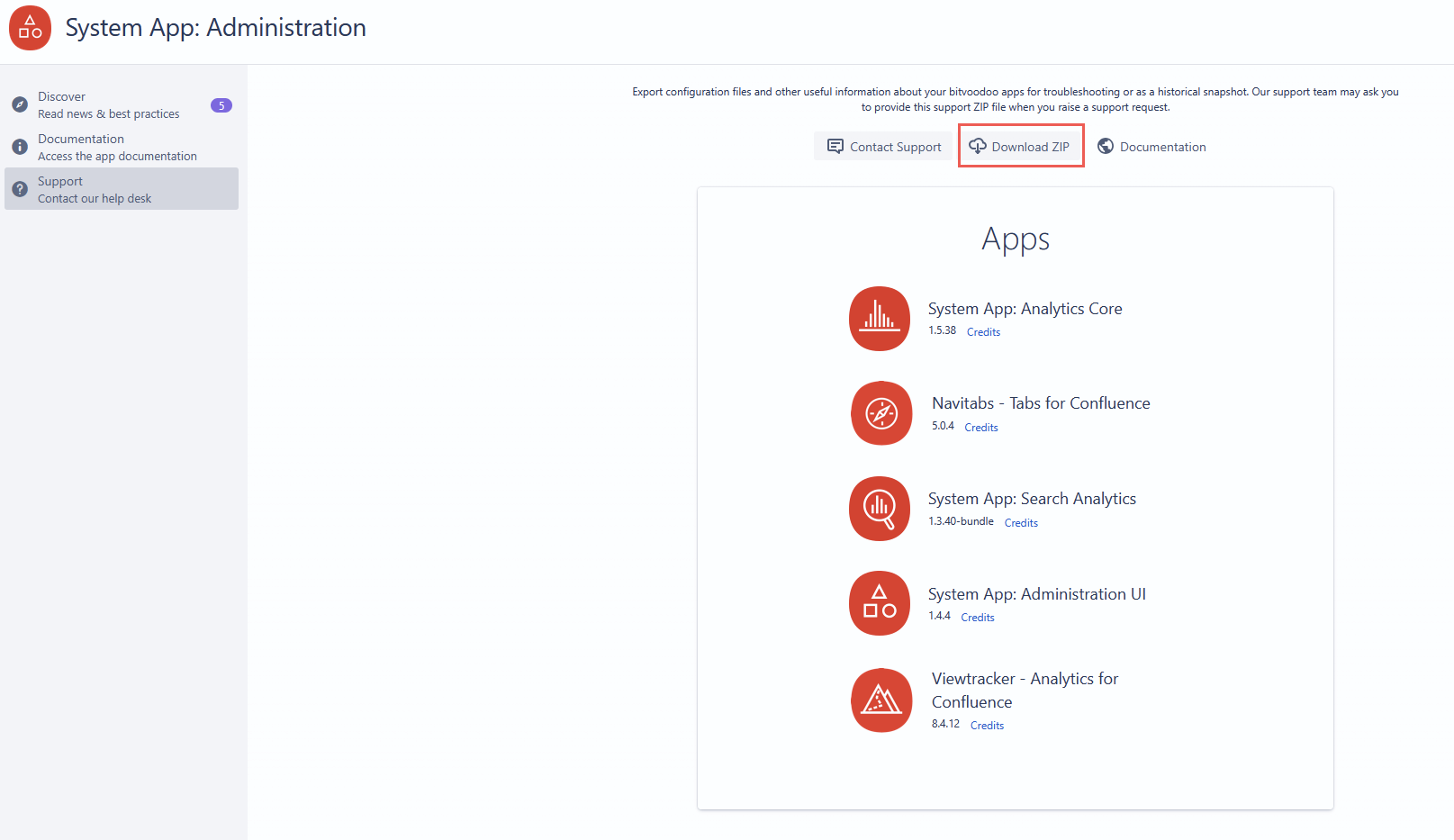
Our support team may ask you to provide the Communardo Support ZIP file when you create a bug report or raise a support request. This file contains configuration files and other helpful information about your Communardo app installation, which helps us troubleshoot your issue more quickly.
📖 Please note
-
Only Confluence administrators can create a Support ZIP.
-
If you are not an administrator and need to supply the Support ZIP, please ask your Confluence administrator to create it for you.
-
-
This is not the standard Confluence Support ZIP and contains less data for security and privacy reasons.
Steps to download the zip
You can retrieve the zip file via the UI by following the steps below:
-
Click “⚙” icon on the top right side → Manage apps → System App: Administration UI → Configure.
Alternatively, you can also access or trigger the download via these URLs:
-
To access the relevant page:
confluence-url/confluence/admin/plugins/bitvoodoo/support.action -
To trigger the download:
confluence-url/confluence/rest/bitvoodoo-admin/1.0/support/export