
On-Premise (Server / Data Center)
To retrieve the storage format of a Confluence page, please follow these steps:
-
Access the page with the issue reported in your ticket.
-
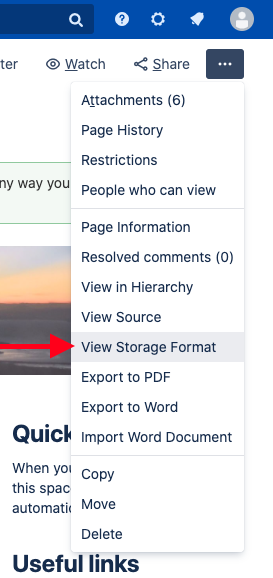
In the Tools menu, select View Storage Format.
-
Copy and paste the code into the ticket.
The content will look like this:XML<p> <ac:structured - macro ac:name="congrats-macro" ac:schema - version="1" ac:macro - id="e80e5cb9-e516-4ee7-af78-1c89f5163f6a"> <ac:parameter ac:name="max">50</ac:parameter> <ac:parameter ac:name="nextDays">500</ac:parameter> <ac:parameter ac:name="prevDays">500</ac:parameter> <ac:parameter ac:name="events">1, 2</ac:parameter></ac:structured - macro> </p>
Enclose the content in a {noformat} macro.
Cloud
To retrieve the storage format of a Confluence page, please follow these steps:
-
Access the page with the issue reported in your ticket.
-
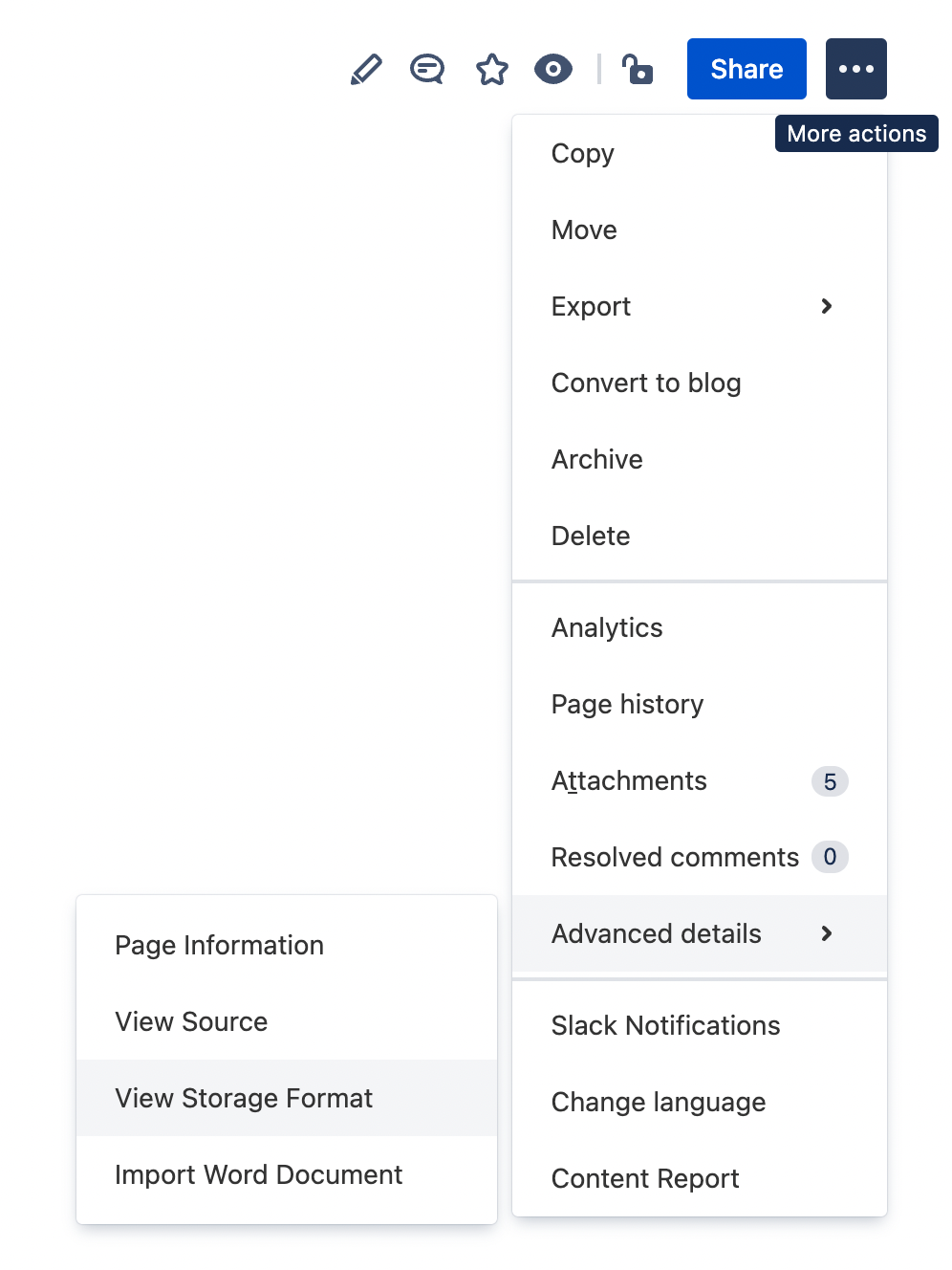
In the “More actions” menu, select Advanced details > and then View Storage Format.
-
Copy and paste the code into the ticket.
The content will look like this:<p> <ac:structured - macro ac:name="congrats-macro" ac:schema - version="1" ac:macro id="e80e5cb9-e516-4ee7-af78-1c89f5163f6a"> <ac:parameter ac:name="max">50</ac:parameter> <ac:parameter ac:name="nextDays">500</ac:parameter> <ac:parameter ac:name="prevDays">500</ac:parameter> <ac:parameter ac:name="events">1, 2</ac:parameter></ac:structured - macro> </p>