
Developer Tools in Chrome
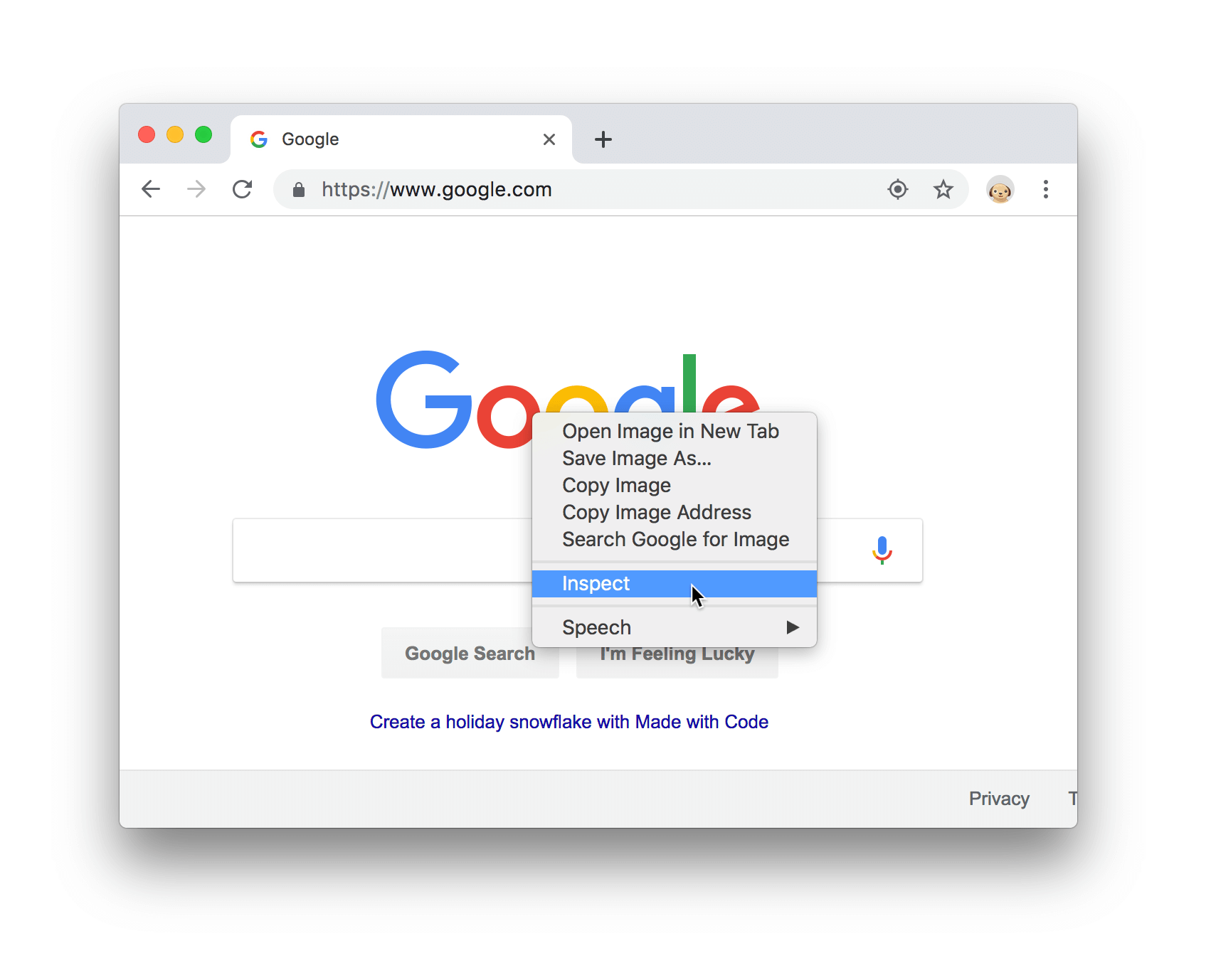
Right-click on any element and choose the Inspect option.
Alternatives:
-
Mac: press Command+Option+C
-
Windows, Linux, Chrome OS: press Control+Shift+C.
-
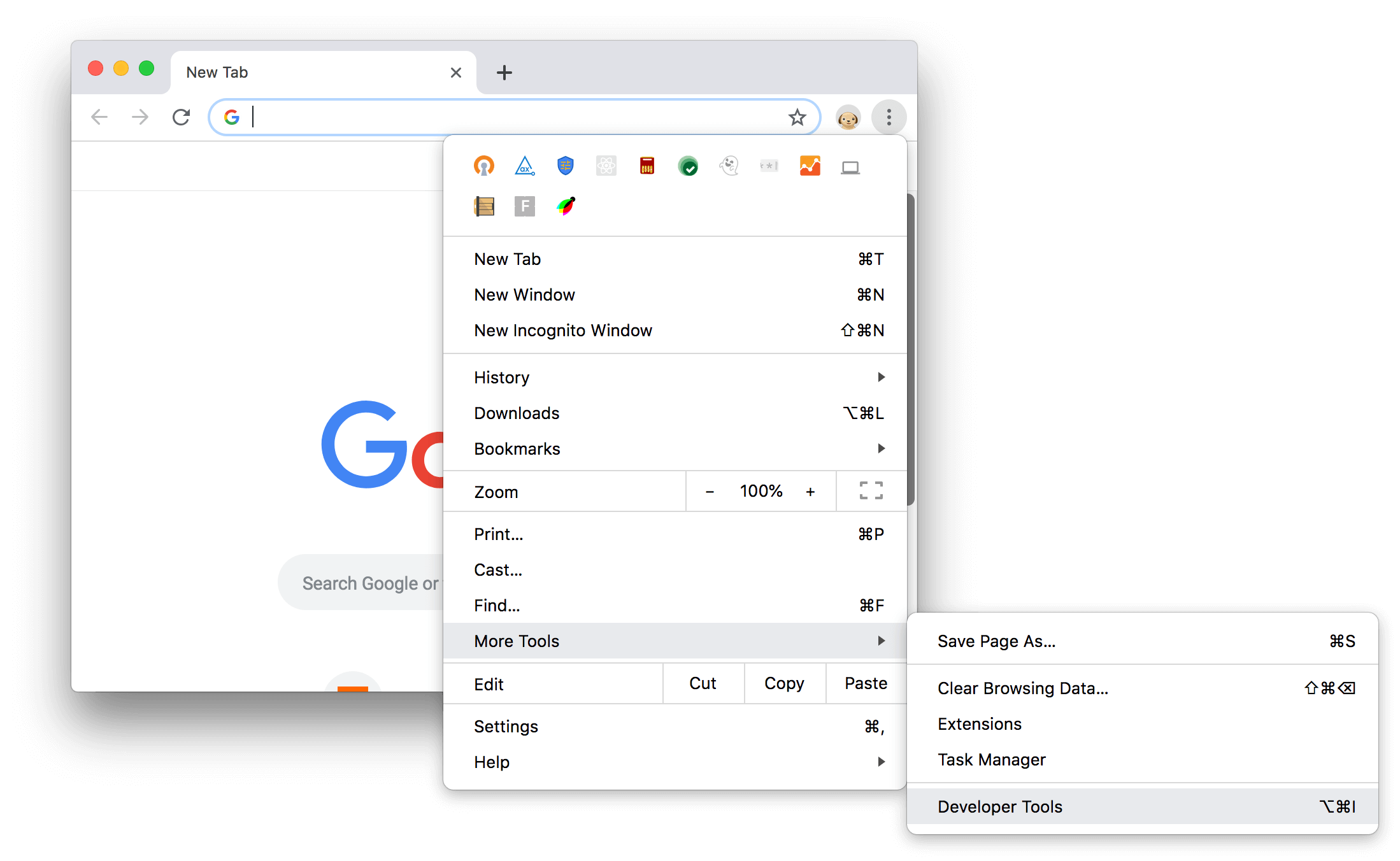
Click Customize and control Google Chrome (the three vertical dots on the top-right corner of Chrome).
-
Select More Tools → Developer Tools.
Please check for more information: https://developers.google.com/web/tools/chrome-devtools
Developer Tools in other browsers
Firefox
https://developer.mozilla.org/en-US/docs/Tools
Internet Explorer
https://www.isunshare.com/windows-10/3-ways-to-open-developer-tools-in-ie-on-windows-10.html
Edge
https://docs.microsoft.com/en-us/microsoft-edge/devtools-guide-chromium
Safari
https://coolestguidesontheplanet.com/safari-web-developer-tools-show-dock-browser-window/