
Please refer to our main Migration Assistant documentation for general instructions on migrating bitvoodoo apps.
The following information is specific to the app "Viewtracker - Analytics for Confluence" by bitvoodoo.
Viewtracker on-premise version 8.4.0 and above can migrate all existing content views (for pages, blog posts and attachments) to Cloud. We highly recommend upgrading to the latest version, as the migration process continues to receive improvements and corrections.
If you migrate your Viewtracker data from Server/DC to your Atlassian Cloud instance, please note:
-
The tracked Viewtracker data (views and viewers of pages, blog posts and attachments) can be migrated automatically using Atlassian's Migration Assistant.
-
An administrator can carry out a content synchronization on Viewtracker Cloud to also display edits and creations accumulated in Server/DC.
-
Some Server/DC macros are not available on Cloud.
This document explains the Viewtracker data migration details and the differences in the deployments.
Viewtracker Data Migration
bitvoodoo implemented an automated migration path that is part of Atlassian's Migration Assistant. It is therefore not necessary to manually export and import the data.
The automated process for all bitvoodoo apps is explained in the general migration documentation.
Selecting the Viewtracker app
Viewtracker comes bundled with multiple plugins:
-
System App: Administration UI
-
System App: Analytics Core (deprecated since Viewtracker version 10)
-
System App: Attachment Tracking (deprecated since Viewtracker version 10)
-
System App: Search Analytics (deprecated since Viewtracker version 10)
To migrate all data, you only have to mark “Viewtracker” as “Needed in cloud”.
-20250729-115508.png?cb=93fb72375276bea2d4ce5104944297f7)
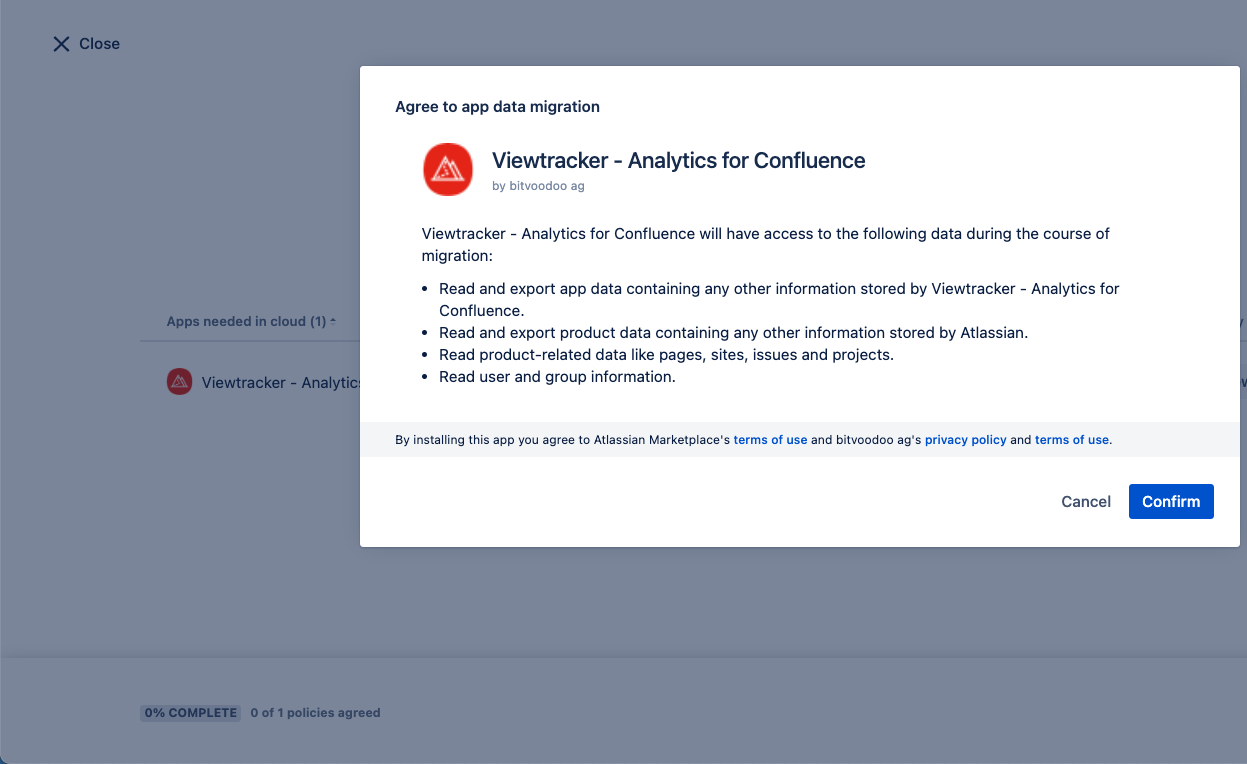
In a later step, you will need to confirm the app data policy of Viewtracker and other selected apps:
What is done during migration
The view data accumulated in Viewtracker will be present once you migrate to Viewtracker Cloud.
The automated app migration path carries out the following steps:
-
Export the existing views and viewer data from Server/DC
-
Import the views and viewer data into the Cloud instance
-
Mappings of page IDs and user keys. The page IDs and user keys need to be changed from Server/DC data to Cloud data.
-
The Viewtracker metrics “Edits” and “Creations” are part of the Confluence migration. An administrator can use the Content Synchronization on Viewtracker Cloud to return this data in reports.
-
Data accumulated in the Search Report and URL Reports can not be carried over to Viewtracker Cloud. We suggest creating a CSV export of these reports for reference.
Macros
Some macros from the Server/Data Center version are incompatible with Cloud.
To prevent you from getting the error "Unknown macro", we have marked the incompatible macros as "hidden" in our Cloud version. These macros don't have any output in Cloud.
|
Viewtracker Macro |
Current state |
|---|---|
|
Not needed anymore because auto-tracking is enabled. |
|
|
Not needed anymore. All pages and blog posts come with the Content Report (see Viewtracker Reports). To display data from a page on other Confluence pages, use the Analytics Report macro. |
|
|
Use the built-in Space Report to gain insights into the use of a particular space. To display charts and other data from a space on a Confluence page, use the Analytics Report macro. |
|
|
Recently Viewed Macro (deprecated) |
To display recently visited Confluence pages and other lists, use the Analytics Report Macro. |
|
Use the page's built-in Content Report to view the chart and various metrics. To display charts and other data from a specific page on different Confluence pages, utilize the Analytics Report macro. |
The Analytics Report macro available in the on-premise version is also available in the cloud version. Pages with this macro will continue to be displayed after migration to the cloud.
Auto-Tracking
We removed the legacy Viewtracker Macro in the Cloud version and implemented auto-tracking by default. To start tracking views, you don't need to do anything. Tracking can be restricted at any time; see "Manage Tracking".
Related content
- Migrate Enterprise Theme content to the Cloud
- Migrate Communardo apps to Cloud with the Cloud Migration Assistant
- Migrate Advanced Panelboxes to Cloud
- Migrate Translations for Confluence to Cloud
- Migrate Viewtracker - Analytics for Confluence to Cloud
- Migrate Navitabs - Navigation Macros for Confluence to Cloud