This new macro expands the functionality of Viewtracker, allowing the display of metrics within Confluence pages.
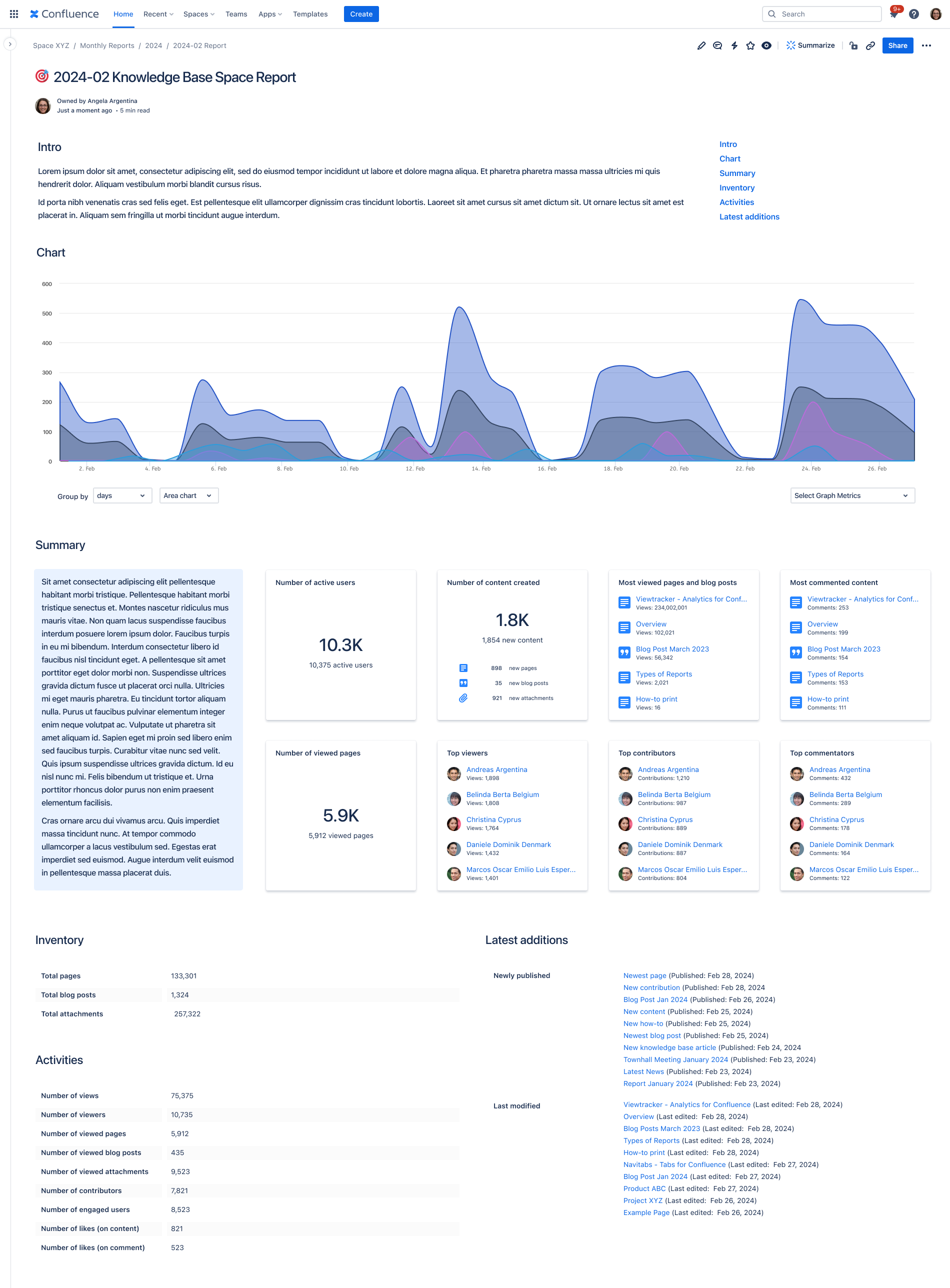
Analytics Report - Use Cases
🔐 The resulting data will comply with Viewtracker’s Data Privacy settings and Confluence’s space and content permissions. This means:
-
If Data Privacy allows it, page visitors will see Top Viewers / Users.
-
Viewers will still require the appropriate permission to view the listed content of the specified space.
Using this macro
To use this macro, simply type /Analytics Report and select the “Analytics Report“ macro. This will open an initial welcome page where you can choose how to present the Viewtracker data: as a chart, tiles or lists.
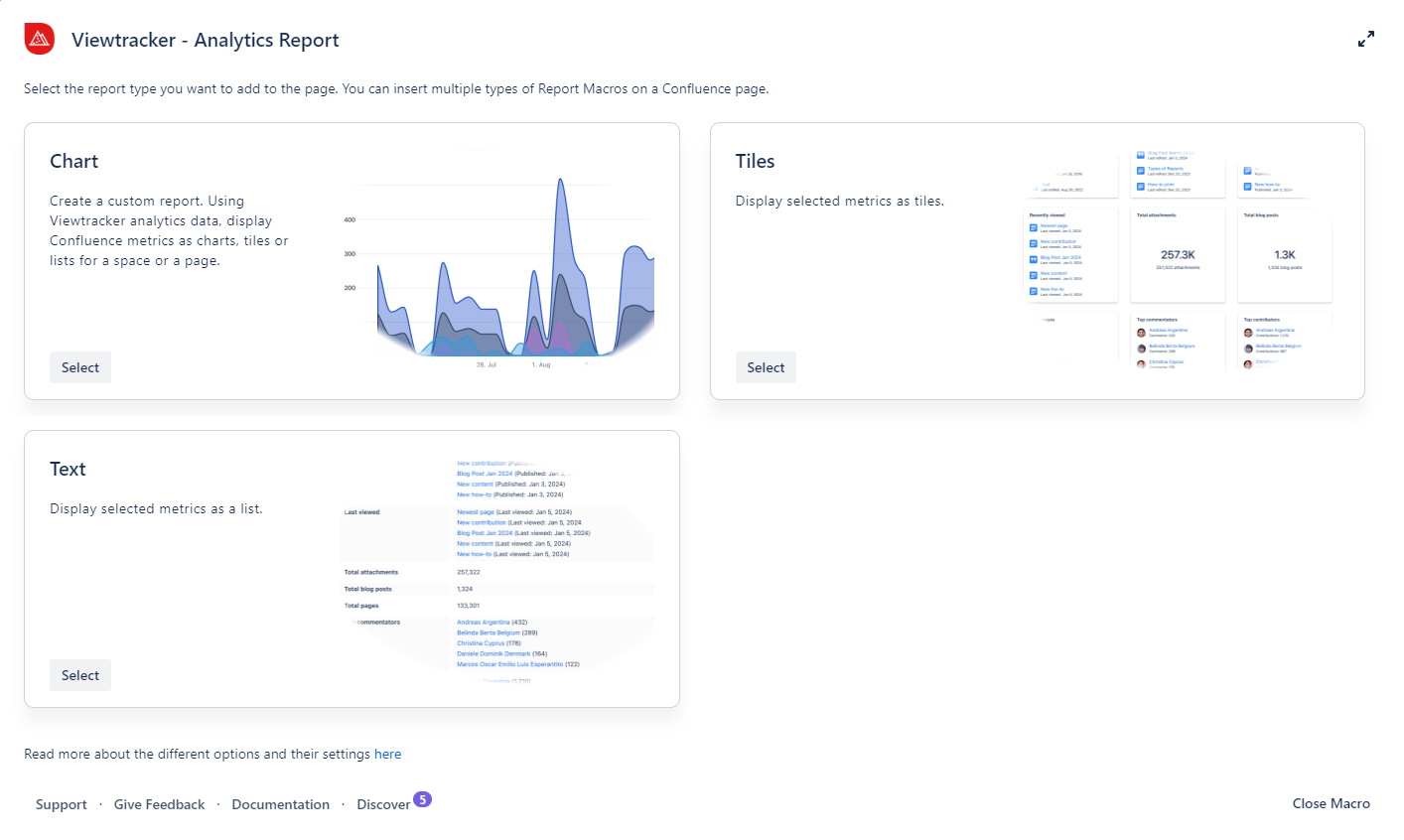
Options in the Analytics Report
Chart
What can this option do?
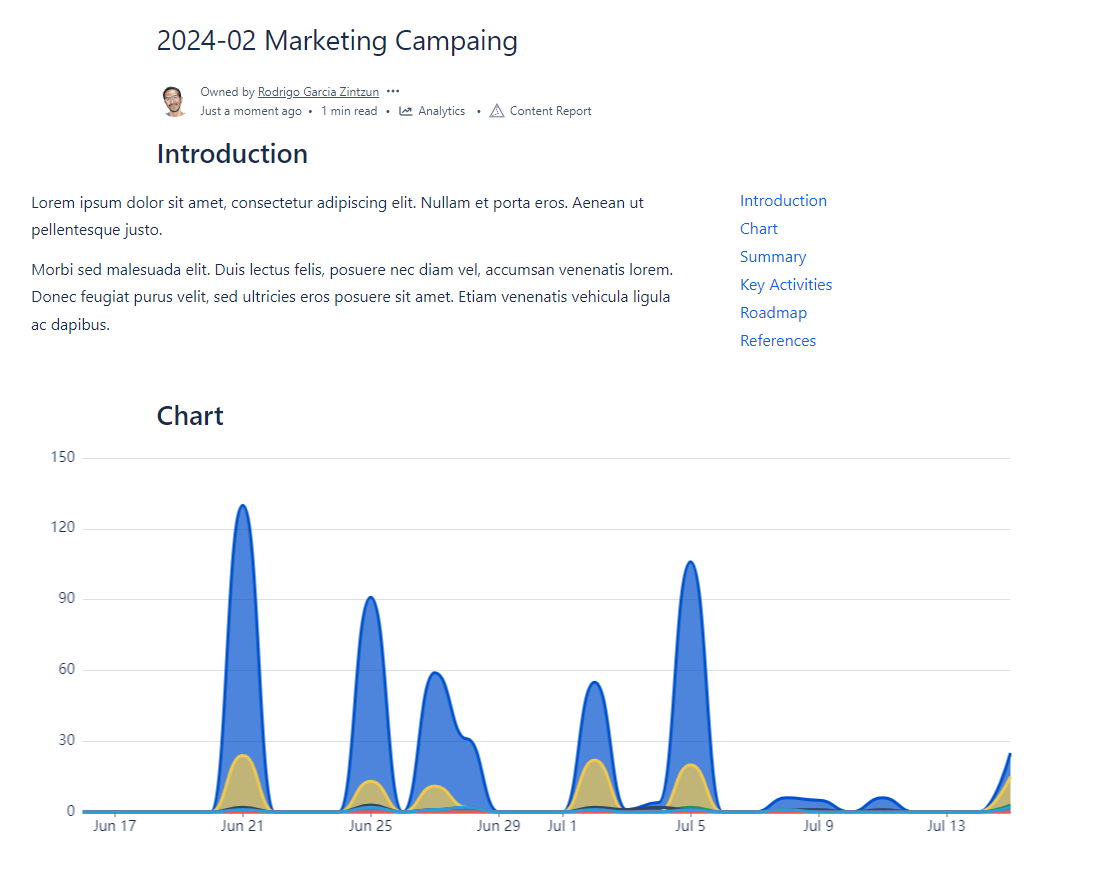
With this option, you can display tracked metrics (e.g., likes, views, comments) in a Line, Bar or Area Chart.
Tiles
What can this option do?
This option allows you to display metrics in the shape of tiles. It is suitable for presenting pages or space data.

Text
What can this option do?
This option allows you to display metrics in a more textual manner. Present your Confluence page or space data as lists.
Pre-filled macros
These macros are already pre-filled with some metrics. Users can customize it by changing styles or adding or removing said metrics.
Top Users
What can this macro do?
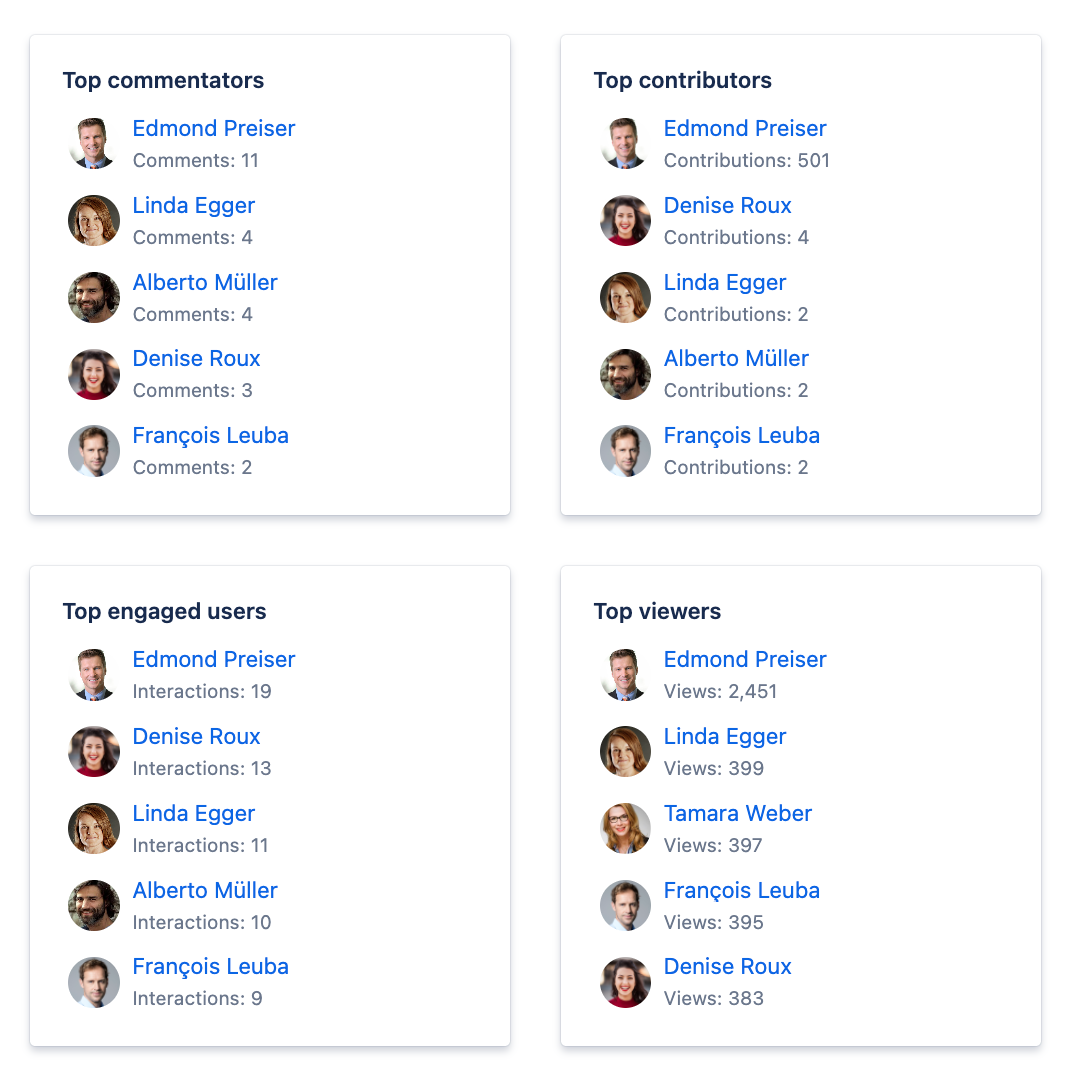
With this macro, you can simplify your workflow: Choose a display option, Tile or Text, and showcase your top users.
It contains:
-
Top viewers
-
Top Contributors
-
Top commentators
Popular Content
What can this macro do?
This macro can help you highlight the popularity of your content and display it in tiles or list form.
It contains:
-
Most viewed pages and blog posts
-
Most commented content
-
Number of active users
-
Number of views
-
Number of new comments

Content Activities
What can this macro do?
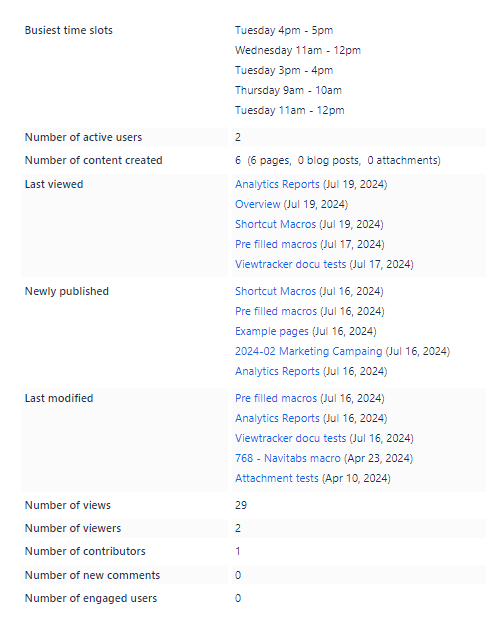
This macro helps highlight activity-related metrics of spaces or pages.
It contains:
-
Busiest time slots
-
Number of active users
-
Number of content created
-
Last viewed
-
Newly published
-
Last modified
-
Number of views
-
Number of viewers
-
Number of contributors
-
Number of new comments
-
Number of engaged users
Content Inventory
What can this macro do?
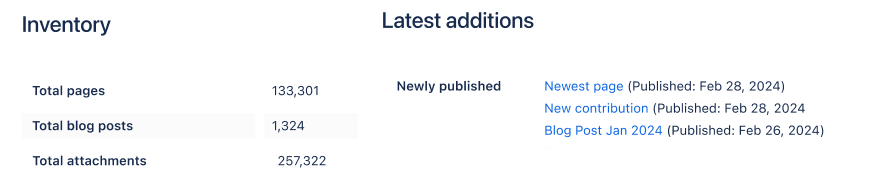
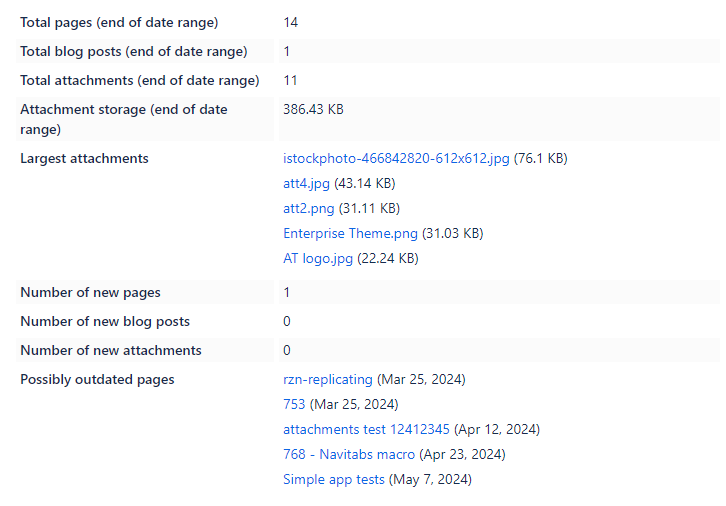
This macro will display helpful metrics surrounding your instance.
It contains:
-
Total pages
-
Total blog posts
-
Total attachments
-
Attachment storage
-
Largest attachments
-
Number of new pages
-
Number of new blog posts
-
Number of new attachments
-
Possibly outdated pages
Shortcut Macros
These "shortcuts" are macros that will be empty upon placement and ready to be customized with your desired metric.
Analytics Chart
What can this macro do?
This shortcut will place the empty Chart option, ready to be customized with any of these metrics.

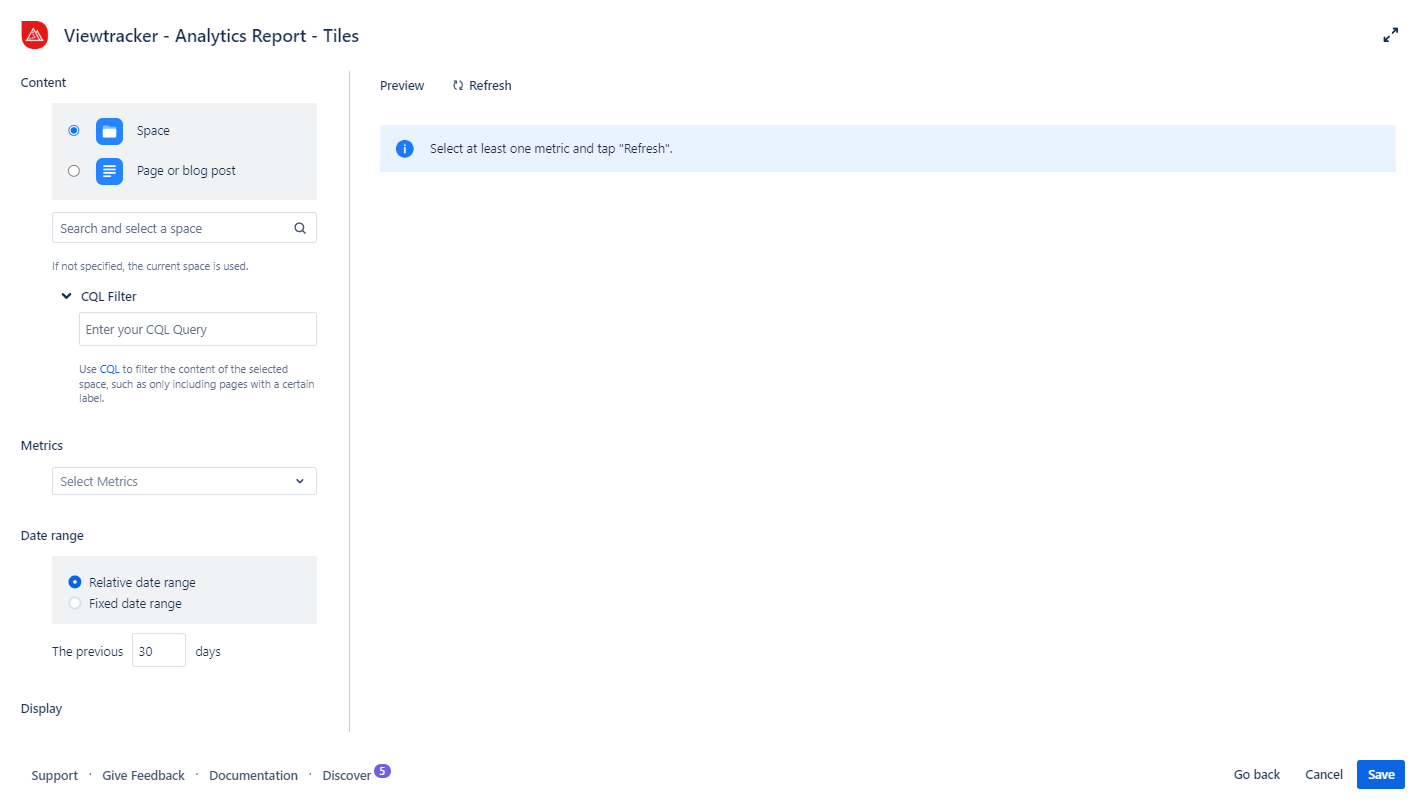
Analytics Tiles
What can this macro do?
This macro shortcut will place an empty Tiles option, which you can customize with metrics.
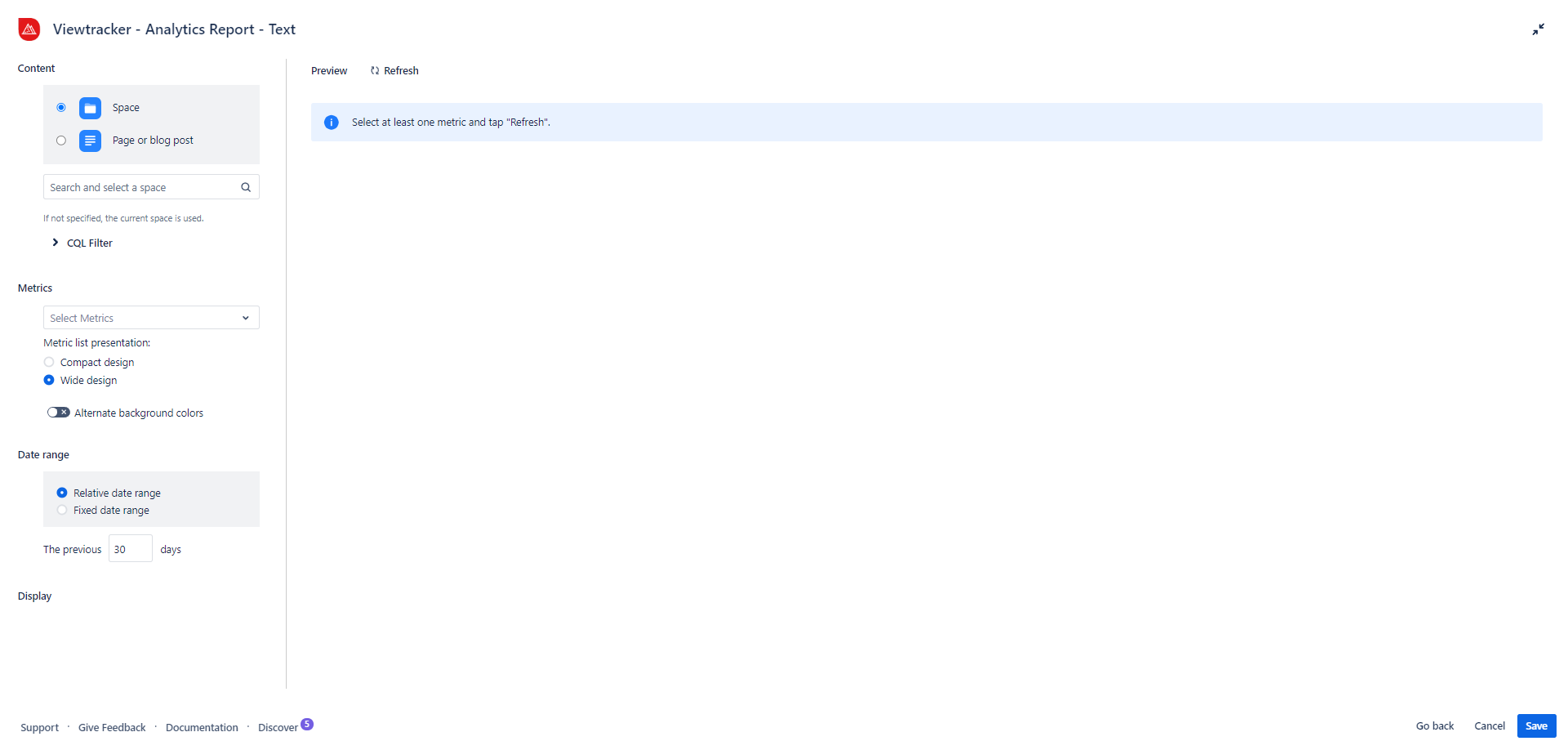
Analytics List
What can this macro do?
This shortcut will place an empty Text option, ready to be customized with metrics.
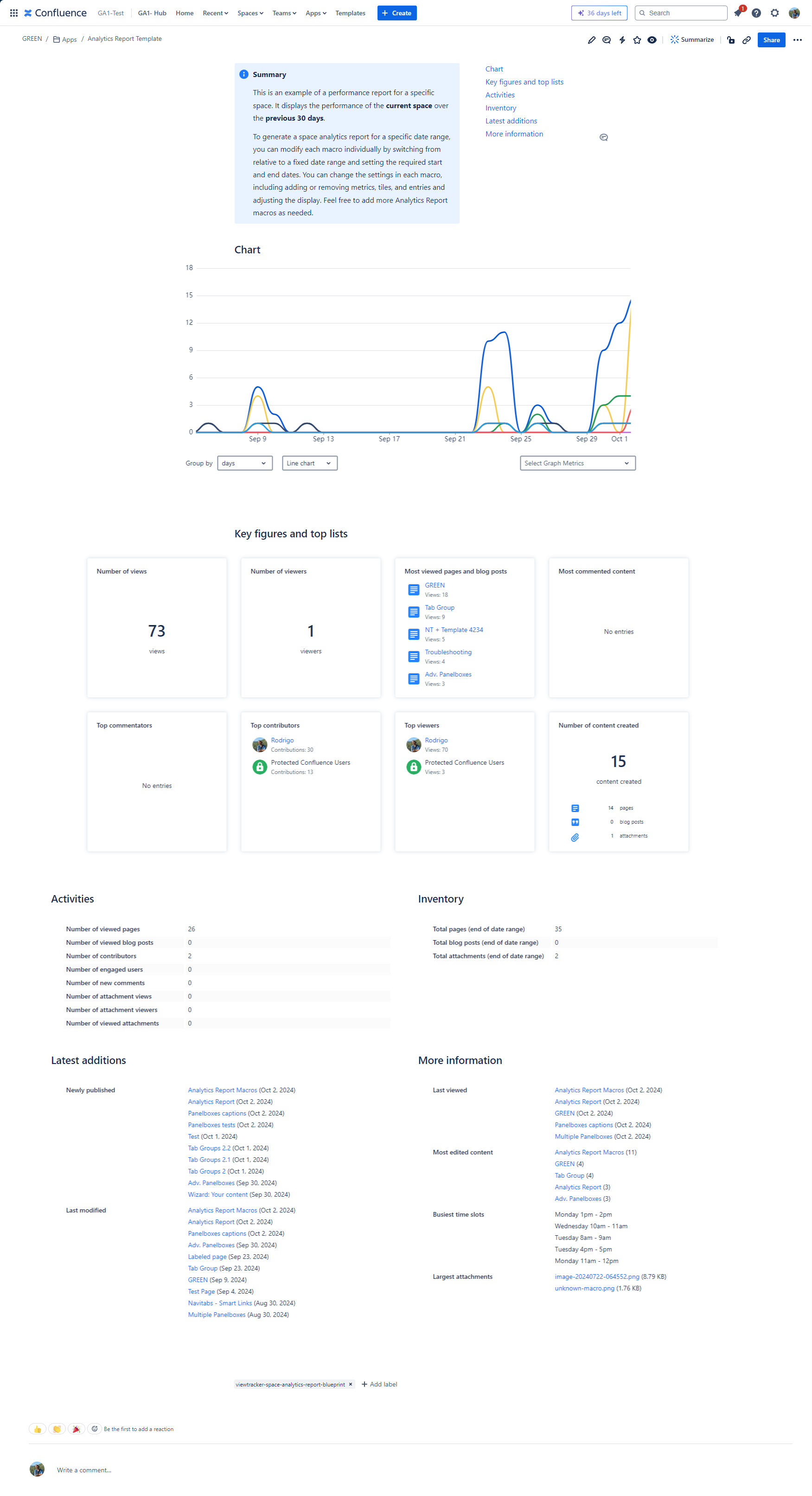
Page template: Space Analytics Report New
With this template you can generate a Confluence page with key space metrics.
How to use the template?
-
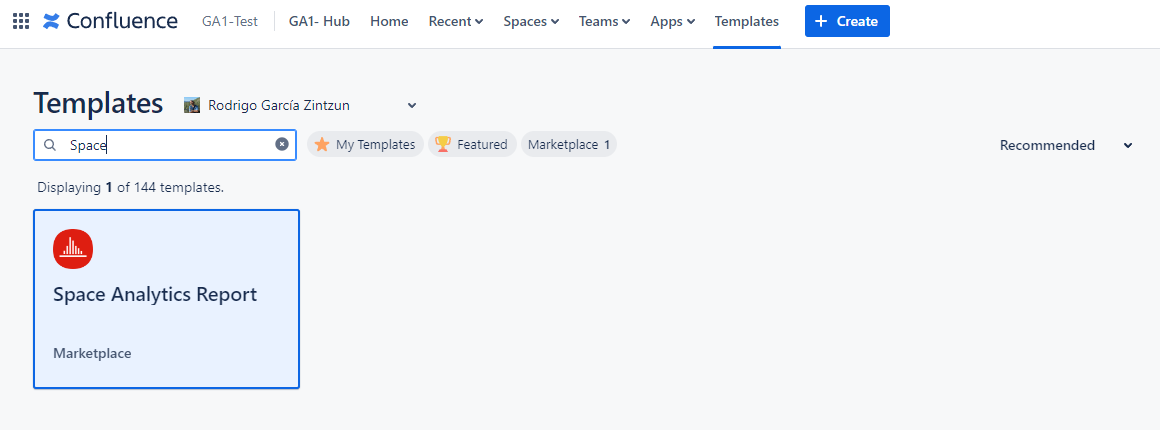
Head to the templates menu on Confluence’s navigation bar.
-
Search for the Space Analytics Report template and select it.
-
This template will create a Confluence page containing the data of your desired Space (defined next to the “Templates“ section) for the 30 days preceding the reader's visit.
-
Adjust the space selection, date range, metrics, KPIs, and top lists to meet your needs in each macro.
-
Publish the page.