
How to access and use the public Viewtracker Cloud API.
General Information and Access
The Viewtracker data can be accessed via an API and used for other integrations.
This documentation is about the available endpoints and authentication in the Cloud API.
For any other data related to your Confluence instance, use the Confluence Cloud API by Atlassian.
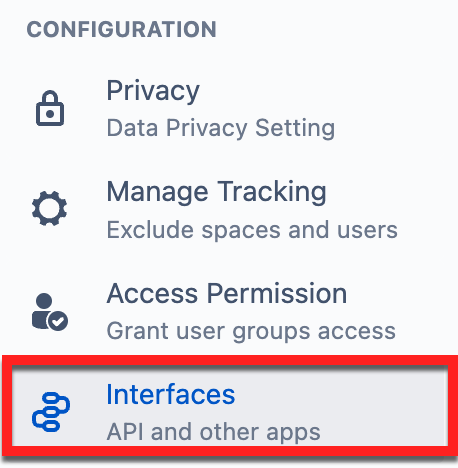
Access the API via Viewtracker - Interfaces and follow the instructions in the info box.
Open API documentation
Swagger UI
US Data Residency | DE Data Residency
The Viewtracker base URL is https://viewtracker.aws.bitvoodoo.cloud, or https://de.viewtracker.aws.bitvoodoo.cloud/ if using the German data residency for the app.
Available endpoints
-
content views: returns views for specific content.
/api/v2/report/contents/{contentId}/visits -
space views: returns views for a specific space.
/api/v2/report/spaces/{spaceKey}/visits -
searches: returns searches globally.
/api/v2/report/searches
Authentication
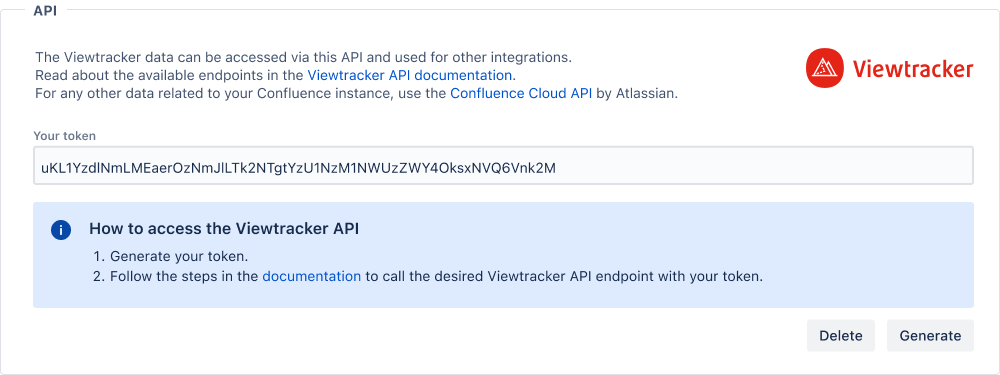
Obtaining Viewtracker data from the endpoints above is only possible if the authorization headers include a valid token. The required token can be generated by selecting the Interfaces option in the Viewtracker navigation menu.
Note
Authentication with an existing token will no longer work if the token is deleted or a new one is generated. The existing API calls must be updated to use the latest token to retrieve new data.
Old authentication method (will be discontinued as of 31.12.23)
Important Notice
We have implemented a new method for authenticating the Viewtracker API. This previous method was discontinued on December 31, 2023.
You can construct and send basic auth headers, including a base64-encoded string containing your Atlassian account email and API token.
To use basic auth headers, perform the following steps:
-
Generate an API Token for your Atlassian Account: https://id.atlassian.com/manage/api-tokens
-
Build a string of the form
your_email@domain.com:your_user_api_token. -
You'll need to encode your authorization credentials to base64.
There are online tools (i.e., https://www.base64encode.net/ ) that you can use to create your base64-encoded string.For example,
your_email@domain.com:your_user_api_tokenbase64 encoded iseW91cl9lbWFpbEBkb21haW4uY29tOnlvdXJfdXNlcl9hcGlfdG9rZW4= -
Supply an
Authorizationheader with contentBasicfollowed by the encoded string.
Example:Authorization: Basic eW91cl9lbWFpbEBkb21haW4uY29tOnlvdXJfdXNlcl9hcGlfdG9rZW4=
Examples
Content views example:
curl -D- \
   -X GET \
   -H "Authorization: Bearer <your_token>" \
   "https://viewtracker.aws.bitvoodoo.cloud/api/v2/report/contents/{contentId}/visits"
The above cURL command will not work as shown. You need to replace <your_token> and <content_id> with the token generated in Viewtracker and the appropriate content’s id before running it in the terminal.
Space views example:
curl -D- \
   -X GET \
   -H "Authorization: Bearer <your_token>" \
   "https://viewtracker.aws.bitvoodoo.cloud/api/v2/report/spaces/{spaceKey}/visits"
The above cURL command will not work as shown. You need to replace <your_token> and <space_key> with the token generated in Viewtracker and the respective space’s key before running it in the terminal.
Searches example:
curl -D- \
   -X GET \
   -H "Authorization: Bearer <your_token>" \
   "https://viewtracker.aws.bitvoodoo.cloud/api/v2/report/searches"
The above cURL command will not work as shown. You need to replace <your_token> with the token generated in Viewtracker before running it in the terminal.
Explore
Use these links to explore the Swagger UI and access your Viewtracker data endpoints and their responses: US Data Residency | DE Data Residency
Proceed as follows for authorization:
-
Tap on “Authorize”
-
Enter your user token from the Interface page in the Viewtracker-Bearer-Auth value field
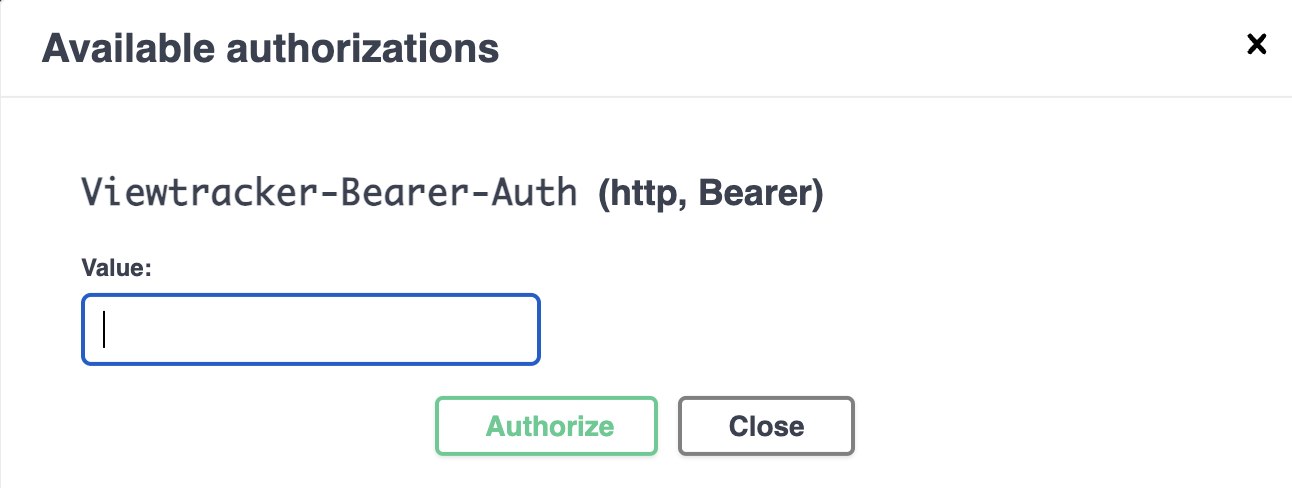
and tap “Authorize”.
-
Expand one of the listed endpoint descriptions and tab “Try it out”.

-
Set the desired parameters, then tap “Execute” to retrieve the endpoint response containing your data.