
What is the Extended Privacy Mode?
The Extended Privacy Mode is the strictest of all Viewtracker privacy settings. It doesn't show user-specific information to anyone. All reports will output only the number of views. How many Viewers these views have generated is not counted and also not output in the reports.
-
There is no link between the action and the user. Nobody can see which user has viewed which page, for example.
-
This information remains hidden even if the data privacy setting is changed at a later stage.
-
Actions that are visible on the page (comments, likes, etc.) will still be tracked.
Effects of the Extended Privacy Mode
-
The Content Report will show the number of views, the engaged users, and non-user-specific information without displaying the tab "Viewers" or the Viewers.
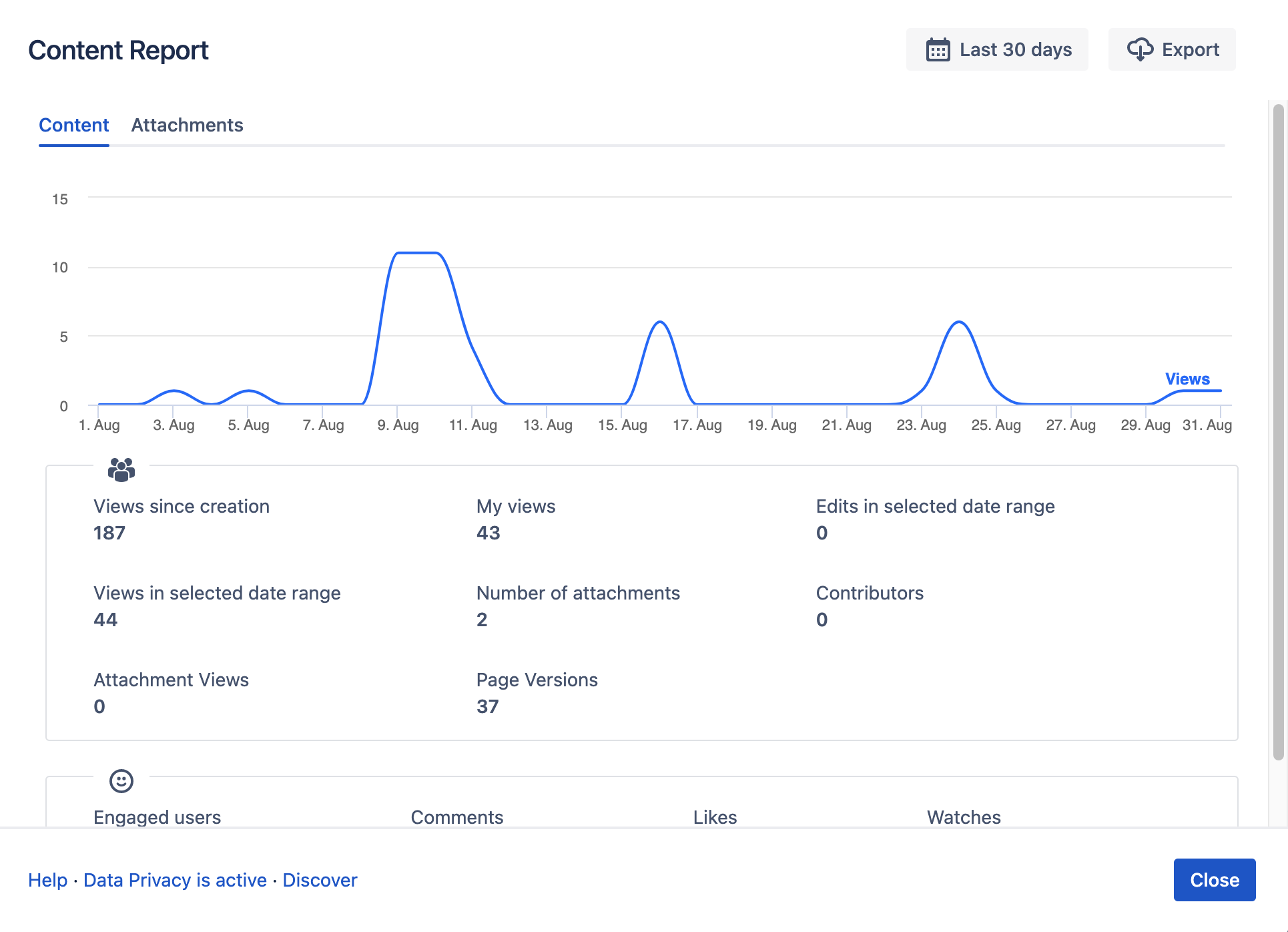
-
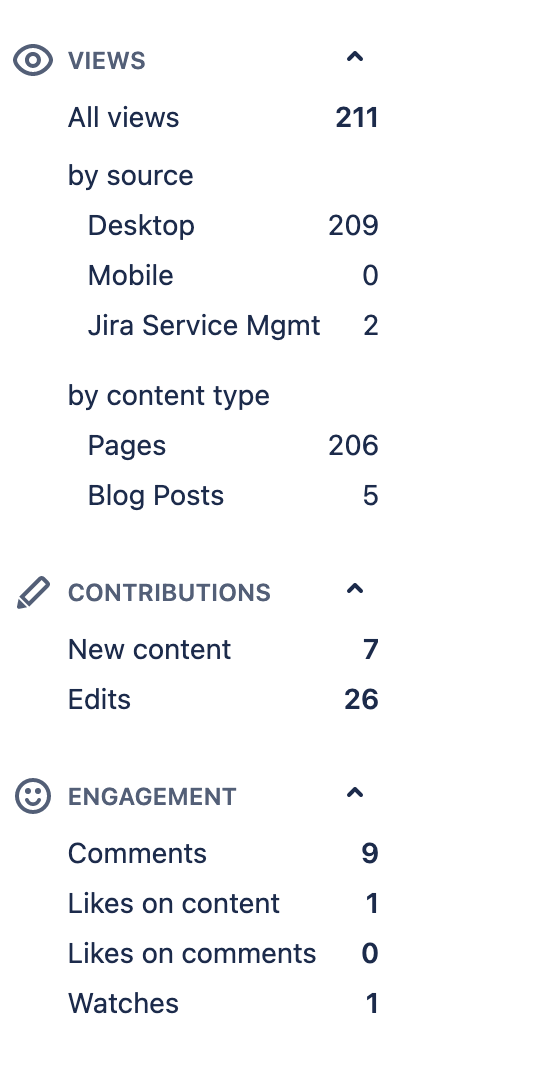
Space and Global Report will not feature the section “Top Users”. It will still show the number of creations, views, edits, engagement, etc.
-
Users will be referred to as “anonymous” in the export.
-
If the privacy mode is ever switched to a different mode, users who viewed content in Extended Privacy Mode will appear as Protected Confluence Users.
How do I enable the Extended Privacy Mode?
-
Access the privacy settings via

-
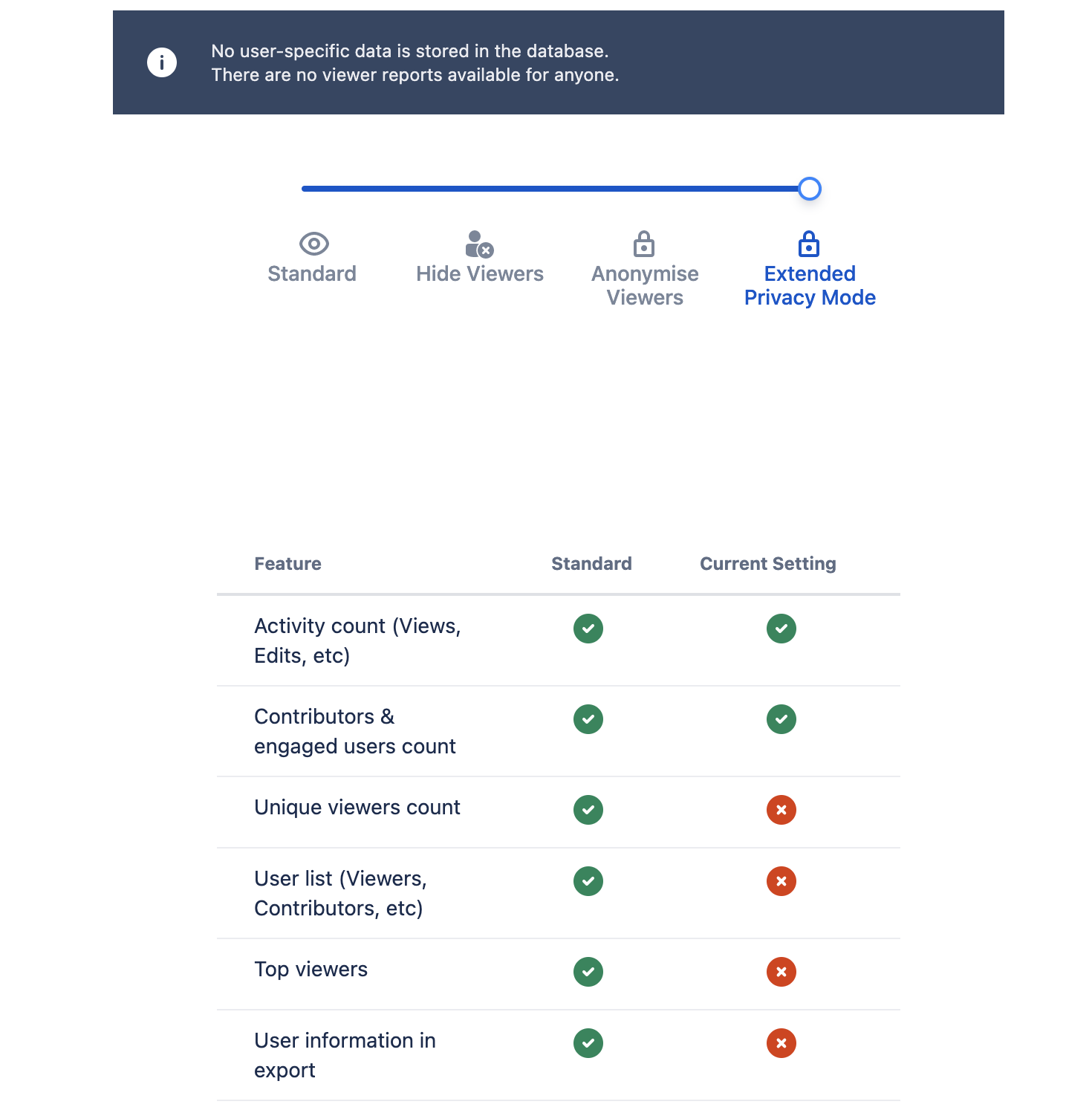
Drag the slider to "Extended Privacy Mode" on the top right. The setting will be saved automatically.
How to make sure an administrator can't disable the Extended Privacy Mode?
The configuration of the Extended Privacy Mode can be set on Confluence's system level as a system parameter. See Predefined Extended Privacy Mode for more information.
If the system parameter is set, a Confluence Administrator cannot change the setting through the Viewtracker configuration interface.
Related articles