If you encounter an issue with Viewtracker, please update your add-on to the latest version before continuing reading.
Execute the following (MySQL) statement on your confluence database - this will reset the migration job, and all the migrated data to its pre-update state and allow you to re-run it manually
-
Reset the migration job status so it can be run again
SQLDELETE FROM BANDANA WHERE BANDANAKEY='ch.bitvoodoo.confluence.plugins.viewtracker.visits_migration%';
-
Remove the 'upgraded' marker for all pages
SQLDELETE FROM OS_PROPERTYENTRY where entity_key = 'ch.bitvoodoo.confluence.plugins.ViewTrackerMacro.upgraded'; -
Delete all visits from the new table
MySQL
SQLDELETE FROM AO_05769A_VISIT_ENTITY;
PostgreSQL
SQLDELETE FROM "AO_05769A_VISIT_ENTITY";
-
Go to the cache statistics administration page (/admin/cache/showStatistics.action) and flush all caches with the button at the bottom of the page
-
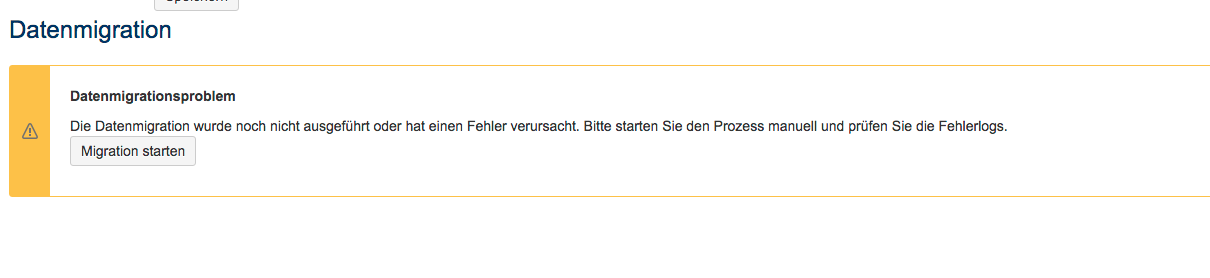
Go to the Viewtracker plugin configuration page (/admin/plugins/viewtracker/datamigration.action) - you should now see a warning in the Legacy Data Migration section
-
Restart the migration job by clicking on the Start Migration button