
We’re thrilled to announce that we’ve released version 1.5 on 🎉
Download on the Atlassian Marketplace for Server and Data Center
New Feature
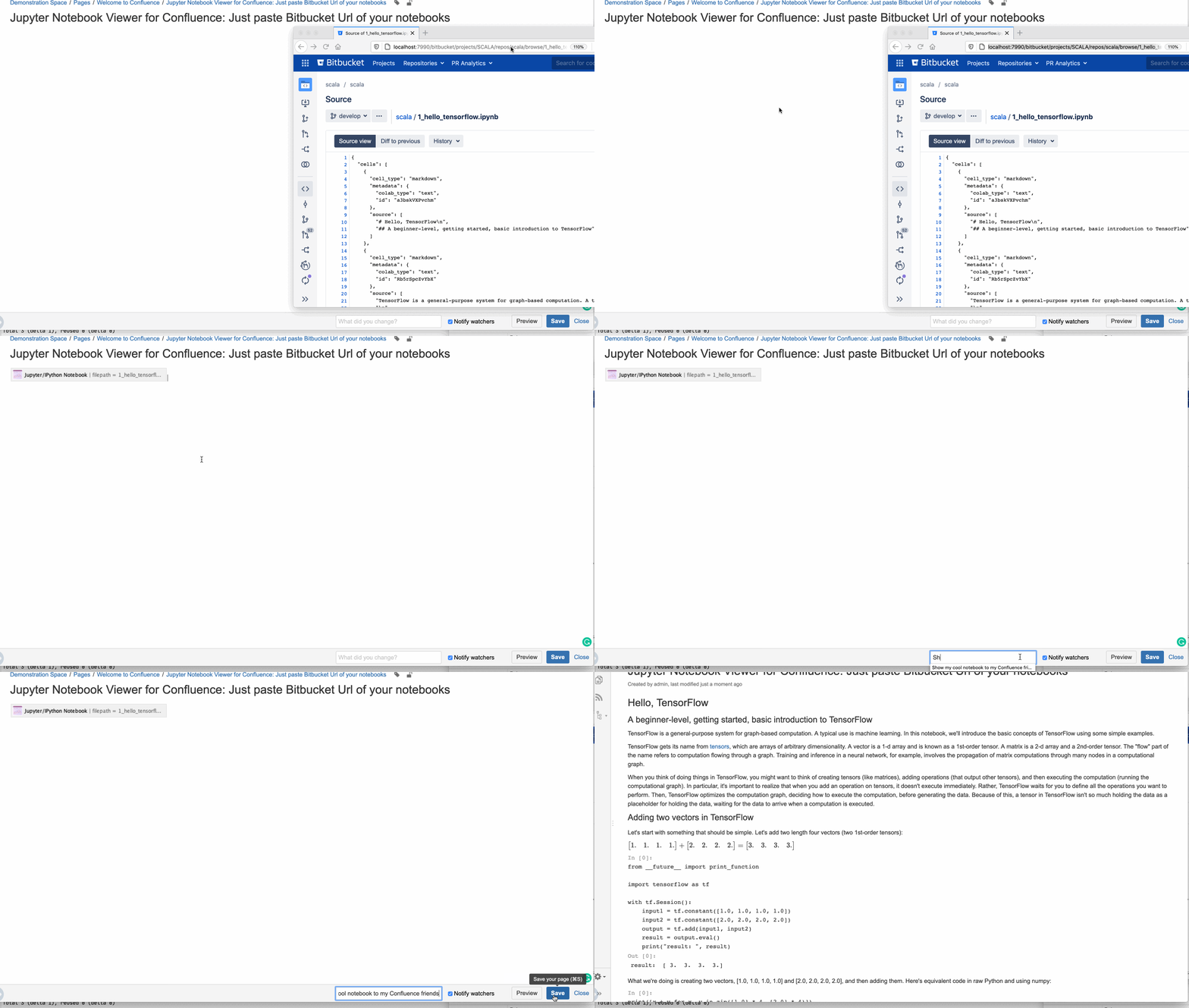
Allow copy&paste of Jupyter notebook URL's from Bitbucket into a Confluence page
No need anymore to add the macro manually and fill out the repo/branch/file parameters.
Just paste an URL from Bitbucket referencing an IPython/Jupyter notebook, and it will automatically be converted to a filled out macro. Ready to go, see below:
Do you have any questions, suggestions, or problems?
Let us know. We’re glad to help!
Changelog
1.5.1: resolved issues on
-
When a notebook URL is pasted with no branch information and the default branch is different in Bitbucket, the app will not find the file
-
Use "Allowlist" term in error messages when rendering notebooks from URL's which are not allowed